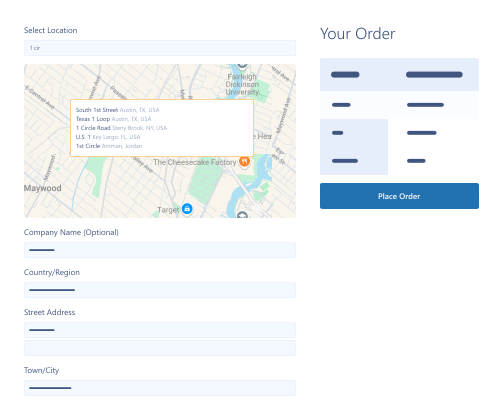



Address Autocomplete for WooCommerce

Our WooCommerce address autocomplete plugin helps businesses sync their websites with a Google Maps Location detector. Automatically fill addresses with Google Maps’ smart suggestions

  • Google Places  API

    Google Places API

  • Exact Address  Fetching

    Exact Address Fetching

  • Custom Map Zoom

    Custom Map Zoom

  • Optimized Map Designs

    Optimized Map Designs

  • Google Address Suggestions

    Google Address Suggestions

  • Selling  Locations

    Selling Locations

  • Money Back Guarantee
  • Woo Pro Partner
  • Safe and Secure Checkout
  • 80+ Clutch reviews

Enjoy Up to 80% OFF on Our All Access Pass Lifetime Plan — Limited-Time NEW YEAR Deal

Pricing Plan

Basic

$49.99/Billed Annually

Single Site

  • Priority Support
  • Regular Plugin Updates
  • All Core Features Included
  • Auto-Renew Subscription

Agency

$4900

$149.99/Billed Annually

100 Sites

  • Priority Support
  • Regular Plugin Updates
  • All Core Features Included
  • Auto-Renew Subscription

14 Day Money-Back Guarantee

We are committed to your satisfaction that our products will elevate your online store’s performance, backed by our 14-day money-back guarantee. Please review our Refund Policy for more details.

Address Autocomplete for WooCommerce Features

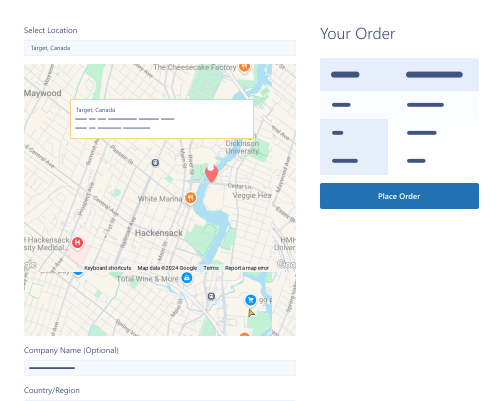
Use Google address autofill plugin and streamline the form-filling process automatically by utilizing powerful features, including:

Google Places API

Google Places API

Real-time address validation via Google Places API.

Google Address Suggestions

Google Address Suggestions

Save time by selecting Google address suggestions.

Exact Address Fetching

Exact Address Fetching

Excellent accuracy and precision when fetching addresses

Enhanced Trust & Transparency

Enhanced Trust & Transparency

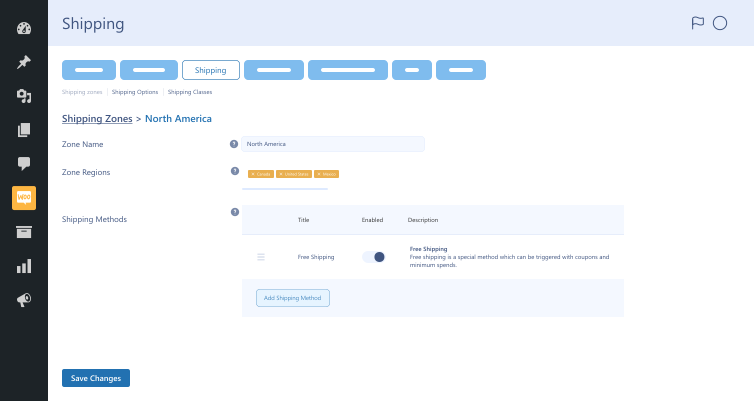
Improve transparency by informing customers about shipping limitations based on location.

Optimized Map Designs

Optimized Map Designs

Optimized map designs help customize checkout pages and align brands’ visual identities.

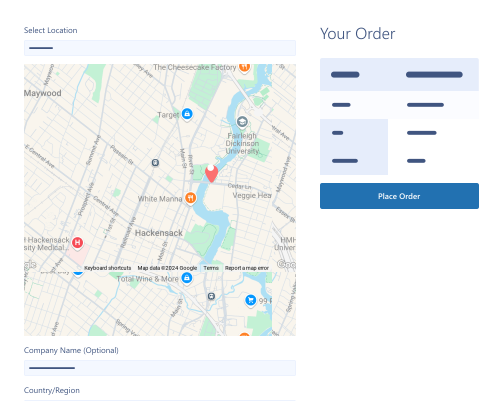
Drag & Drop Map Pointer

Drag & Drop Map Pointer

Customers can use the drag & drop pointer to select addresses.

Manual Input Acceptance

Manual Input Acceptance

Customers can enter their addresses & other details manually.

Disable Plugin Functionality

Disable Plugin Functionality

Admin can disable the plugin's functionality by enabling Disable Plugin Functionality option.

Street Address Field Display

Street Address Field Display

Admin can add address fields to the Street Address field on the checkout page.

Custom Map Zoom

Custom Map Zoom

This option allows the admin to set a custom zoom level for the map on the checkout page.

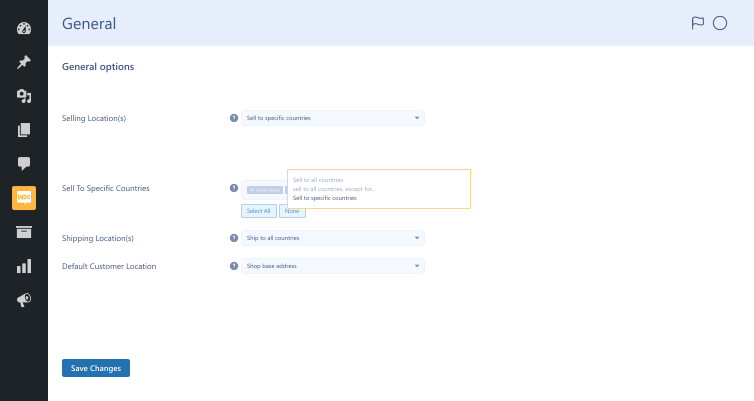
Select Selling Locations

Select Selling Locations

Admin must select all the countries and remove those where sales are allowed.

Plugin Screenshots

Version History

N = new

U = update

D = dev

F = fix

R = remove

O = other

1.3.1 2026-04-06
  • U – tested upto wordpress 6.9
  • U – tested upto woocommerce 10.6
1.3.0 2025-09-30
  • F – shipping block map fixed
  • F – shipping lagecy map fixed
  • F – checkout selected location field fixed
  • N – map field position change setting (block).
  • U – compatible with woocommerce latest version.
1.2.0 2024-11-20
  • O – code revamp
  • O – support fixes
  • O – custom zoom functionality
1.1.0 2024-05-27
  • O – enabling location service for automation address retrieval
  • O – custom message on restricted location
  • O – map design selector
1.0.7 2023-10-26
  • O – support for hpos woocommerce.
1.0.6 2023-05-05
  • O – woocommerce security updates.
1.0.5 2023-05-02
  • O – support fixed.
1.0.4 2022-11-27
  • O – support fixed.
1.0.3 2021-12-30
  • O – option to restrict address based on selected countries.
  • O – street address on checkout page
1.0.2 2021-09-10
  • O – remove warning & notices.
1.0.1 2021-04-08
  • O – option to disable map from frontend.
  • O – map in shipping address fields.
  • O – compatible with astra theme.
1.0.0 2020-07-12
  • O – initial release

Version: 1.3.1

Version History: Changelog

Last Update: 2026-04-06

Address API
Address Autocomplete for WooCommerce
Google address
Google Map API
Google Recommends
still have a question

Still have a question?

FAQ’s

What are the requirements for using the WooCommerce address autofill plugin?

Here are the requirements you must fulfill before installing the Address Autocomplete for WooCommerce plugin on your website: WooCommerce 4.0+ WordPress 5.0+ PHP version 7.5+

How long does configuring this address validation WooCommerce plugin on my website take?

Follow our setup guide to configure this WooCommerce address autocomplete plugin in minutes.

Why should we use this address from autocomplete plugin?

Website owners should utilize this multipurpose address validation Woocommerce plugin to save customers precious time, reduce errors, and enhance their experiences. It also allows businesses to develop long-term relationships with customers. Address Autocomplete for WooCommerce helps minimize shipping costs as customers enter the correct addresses automatically using this plugin.

Can we use this plugin for billing and shipping addresses?

Address Autocomplete for WooCommerce helps customers enter billing and shipping addresses correctly without fuss.

How does this WooCommerce address autofill plugin help enhance customer experience?

Address Autocomplete for WooCommerce lets customers reduce incorrect address entries, offering an easy and fast checkout process. This helps customers save valuable time.

Is this postcode autocomplete plugin simple and easy to use?

The WooCommerce autocomplete address plugin is user-friendly and does not require specific skills for smooth operation.

Second Thoughts? No Sweat!

You’ve got 14 days to change your mind and get your money back!