


Get 10% OFF on All Plugins. Use Code Woo10

Dynamic And Role Based Pricing for WooCommerce

Dynamic and Role-Based Pricing for WooCommerce lets businesses offer customized pricing options depending on user roles and attributes.

  • Target Varied Customers

    Target Varied Customers

  • Specific Products Tags

    Specific Products Tags

  • Fixed Pricing

    Fixed Pricing

  • Customized Pricing

    Customized Pricing

  • Role Based Pricing

    Role Based Pricing

  • Money Back Guarantee
  • Woo Pro Partner
  • Safe and Secure Checkout
  • 80+ Clutch reviews
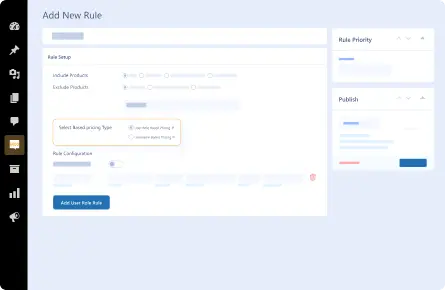
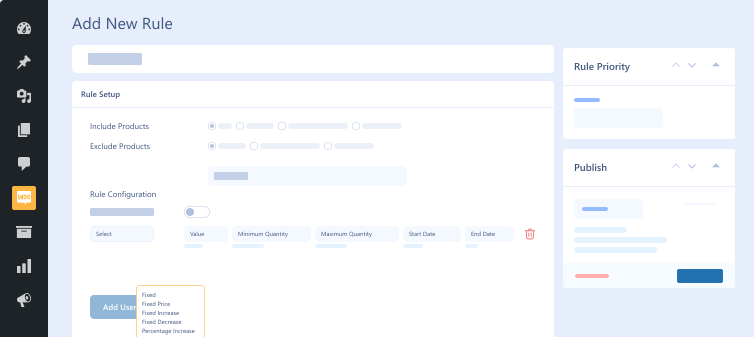
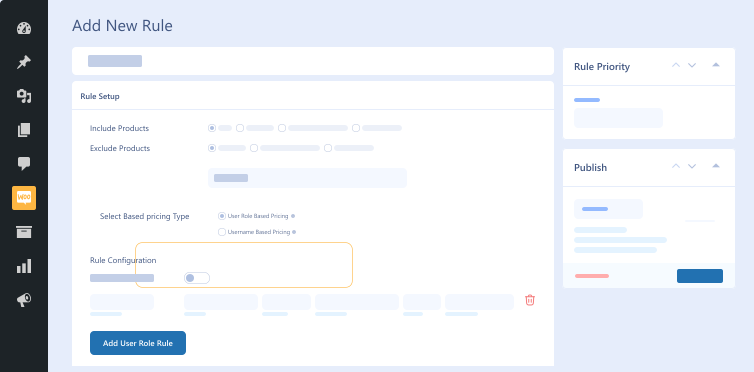
user-role-based-pricing-and-username-based-pricing-in-dynamic-and-role-based-pricing-for-woocommerce
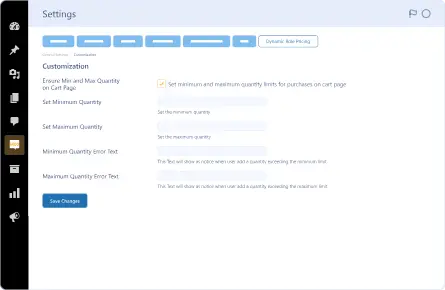
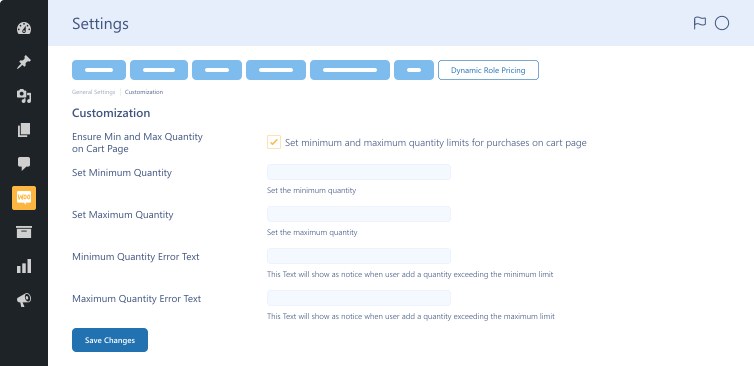
minimum-and-maximum-quantities-feature
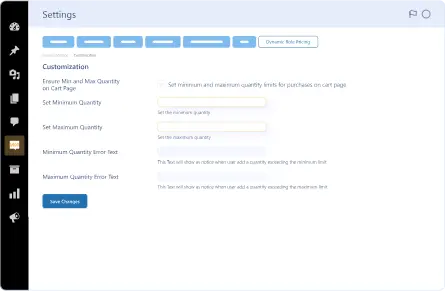
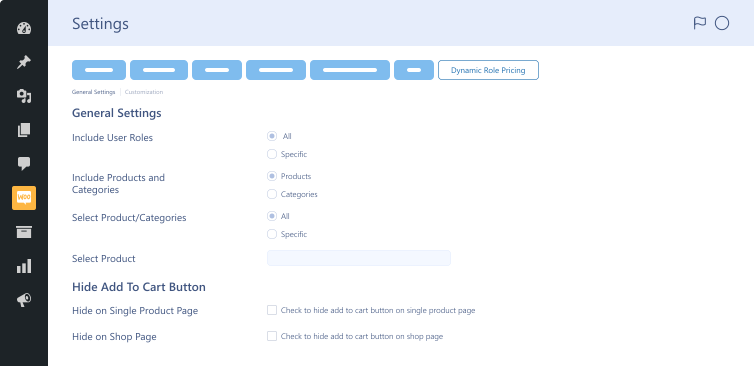
 apply-minimum-and-maximum-pricing-limits
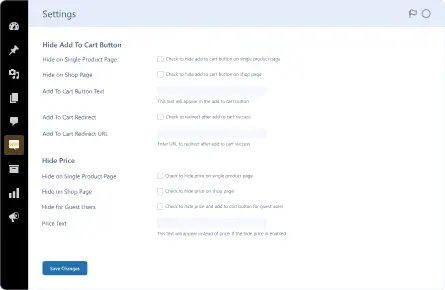
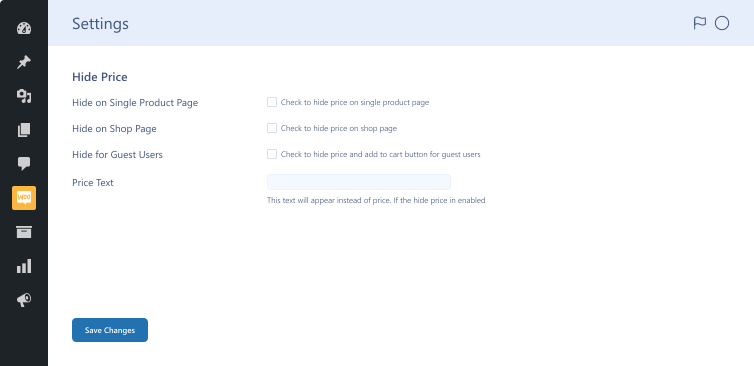
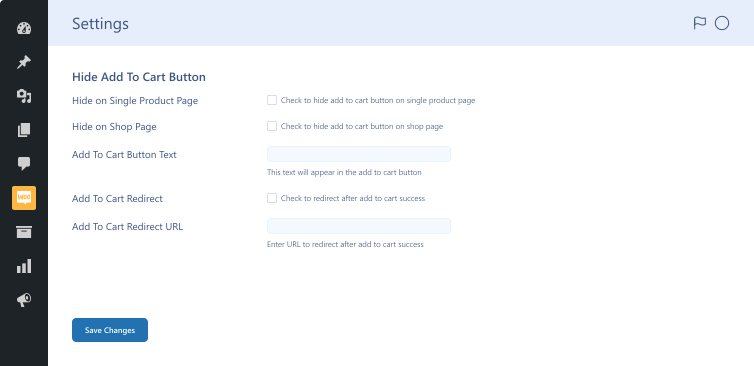
 hide-add-to-cart-button-in-dynamic-pricing-plugin

Pricing Plan

Basic

$49.99/Billed Annually

Single Site

  • Priority Support
  • Regular Plugin Updates
  • All Core Features Included
  • Auto-Renew Subscription

Agency

$4900

$149.99/Billed Annually

100 Sites

  • Priority Support
  • Regular Plugin Updates
  • All Core Features Included
  • Auto-Renew Subscription

14 Day Money-Back Guarantee

We are committed to your satisfaction that our products will elevate your online store’s performance, backed by our 14-day money-back guarantee. Please review our Refund Policy for more details.

Enjoy Up to 80% OFF on Our All Access Pass Lifetime Plan — Limited-Time NEW YEAR Deal

Dynamic And Role Based Pricing for WooCommerce Features Features

Our incredible WooCommerce role-based pricing plugin helps businesses offer customers dynamic pricing options using the features below.

Customized Pricing

Customized Pricing

Fulfill the needs of different customer bases through personalized pricing.

Fixed Price

Fixed Price

Add a fixed price to the product.

Fixed Increase

Fixed Increase

Incorporate a fixed amount to original product prices.

Fixed Decrease

Fixed Decrease

Remove a fixed amount from original product prices.

Percentage Increase

Percentage Increase

Increase the original price by a percentage.

Percentage Decrease

Percentage Decrease

Decrease the original price by a percentage.

All Products

All Products

Include all products instantly.

Specific Products

Specific Products

Include selected products.

Specific Products Category

Specific Products Category

Include selected product categories.

Specific Products Tags

Specific Products Tags

Include selected product tags.

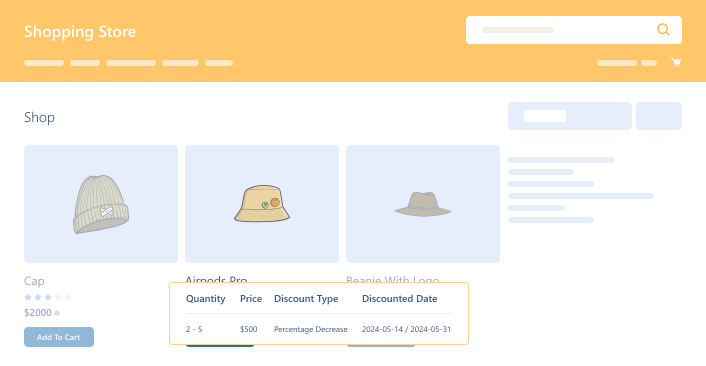
Tooltip Display

Tooltip Display

Prominently display dynamic pricing information on product pages.

Effective Customer Relations

Effective Customer Relations

Develop long-term yet fruitful customer relationships through personalized pricing.

Streamlined Operations

Streamlined Operations

Simplify operations by automating various pricing strategies.

Target Varied Customers

Target Varied Customers

Fulfill needs or demands of different customer segments.

General Settings & Permissions

General Settings & Permissions

Optimize product & category visibility by customizing the ‘Add to Cart’ button.

Enhanced Order Management

Enhanced Order Management

Apply minimum & maximum quantity limits to prevent over or under-ordering.

Enable/Disable Toggle Button for Rule

Enable/Disable Toggle Button for Rule

Quickly activate or deactivate any pricing rule without deleting it.

Rule  Adjustment

Rule Adjustment

Apply advanced pricing conditions based on a customer’s past spending behavior.

Flat Price

Flat Price

Set a single fixed price for products—no tiers or quantity rules required.

Multi-Level Pricing

Multi-Level Pricing

Add extra discounts on top of flat pricing based on quantity or subtotal conditions.

Quantity-Based Multi-Level Pricing

Quantity-Based Multi-Level Pricing

Automatically apply additional discounts when customers purchase specific quantities.

Product Subtotal Value-Based Multi-Level Pricing

Product Subtotal Value-Based Multi-Level Pricing

Trigger extra discounts when the product subtotal reaches a defined amount.

Compatibility with Woo Membership

Compatibility with Woo Membership

Apply dynamic or flat pricing rules exclusively to users with selected membership plans.

Plugin Screenshots

Version History

N = new

U = update

D = dev

F = fix

R = remove

O = other

1.0.2 2025-01-27
  • U – freemius update 2.11.0
1.0.1 2024-11-11
  • U – freemius update.
1.0.0 2024-05-20
  • O – initial release.

Version: 1.0.2

Version History: Changelog

Last Update: 2025-01-27

still have a question

Still have a question?

FAQ’s

Can we enforce minimum and maximum quantity limits in the shopping cart?

WooCommerce dynamic pricing helps you enforce the cart’s minimum and maximum quantity limits. The plugin ensures adherence to your pricing strategy and prevents over-purchasing or under-purchasing.

What are the minimum requirements for using role-based pricing plugin for WooCommerce?

Here are the minimum requirements you should fulfill before installing the role-based pricing plugin on your website: WooCommerce 4.0+ WordPress 5.0+ PHP version 7.5+

How long does setting up the WooCommerce Dynamic and Role-Based Pricing plugin take?

The role-based pricing for WooCommerce plugin is user-friendly. Users can set it up in minutes without any hassle. In addition, you can effortlessly use this plugin to meet your diverse needs.

Is the Dynamic and Role-Based Pricing for WooCommerce plugin compatible with other plugins?

The product dynamic pricing plugin supports famous plugins, such as Instant Checkout for WooCommerce and Currency Switcher for WooCommerce. Surprisingly, it does not support other plugins, including Wholesale for WooCommerce, Product Disclaimer for WooCommerce, Restaurant for WooCommerce, and Sales Agent for WooCommerce. We can expect dynamic pricing for WooCommerce to be compatible with these plugins in the near future.

Can we set different prices for different user roles with Dynamic and Role-Based Pricing for WooCommerce?

WooCommerce dynamic pricing enables users to set custom pricing tiers depending on user roles. The WooCommerce dynamic pricing plugin offers tailored pricing to specific customers.
What dynamic pricing options are available with Dynamic and Role-based Pricing for WooCommerce?

The WooCommerce dynamic pricing plugin provides users with multiple dynamic pricing options: fixed price, fixed increase, fixed decrease, percentage increase, and percentage decrease. Thus, users can benefit from a flexible pricing strategy.

How does the tooltip display feature work in the WooCommerce discount rules plugin?

The tooltip display feature shows dynamic pricing information on product pages. Hence, users can offer clarity and transparency to customers regarding pricing variations depending on their username or role. However, to benefit from the tooltip display feature, they must use the WooCommerce discount rules plugin.

Second Thoughts? No Sweat!

You’ve got 14 days to change your mind and get your money back!