


Smart Custom Product Addons and Fields for WooCommerce

Smart Custom Product Add-ons and Fields for WooCommerce helps businesses incorporate varied product add-on fields and fulfill the needs of diverse customer bases.

  • Percentage Increase

    Percentage Increase

  • No Cost

    No Cost

  • Flat Fee

    Flat Fee

  • Percentage Decrease

    Percentage Decrease

  • Product Group Addons

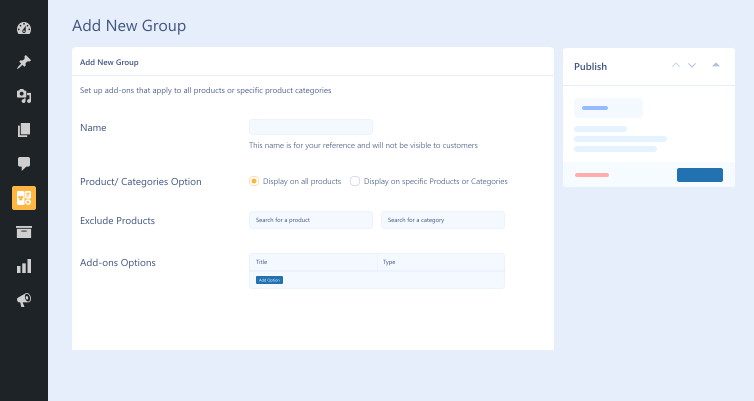
    Product Group Addons

  • Money Back Guarantee
  • Woo Pro Partner
  • Safe and Secure Checkout
  • 80+ Clutch reviews
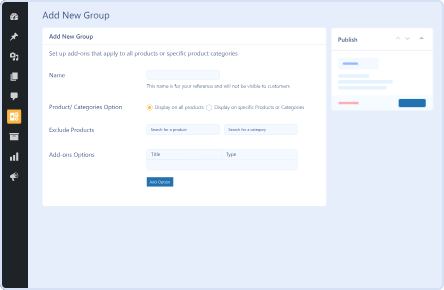
 group-product-add-ons-feature-in-custom-product-add-ons-and-fields-for-woocommerce
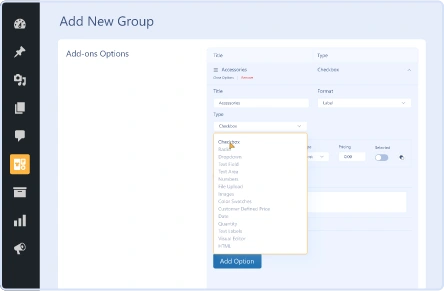
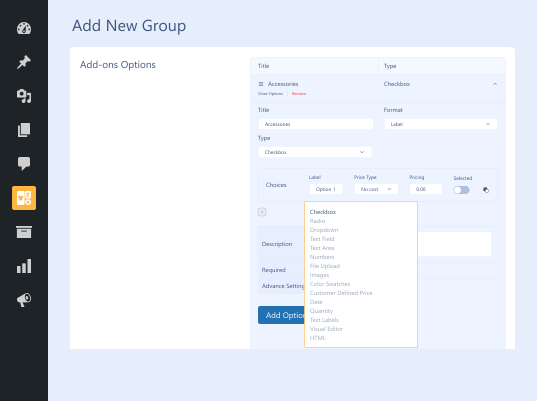
customize-different-add-on-fields
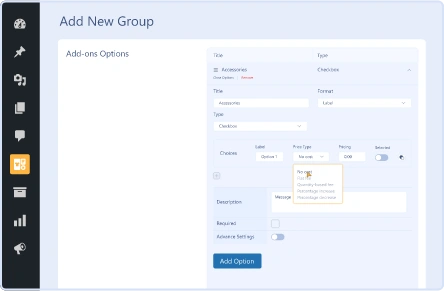
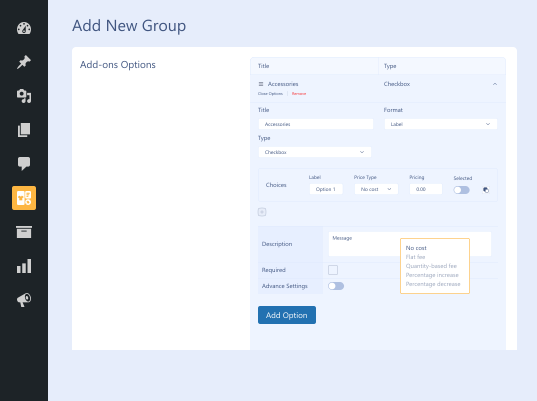
pricing-options-in-custom-product-add-ons-and-fields-for-woocommerce
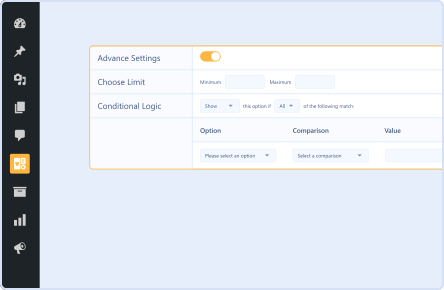
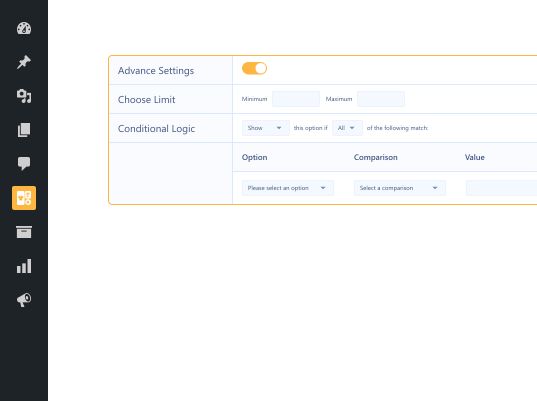
conditional-logic-feature-in-smart-custom-product-add-ons-and-fields-for-woocommerce-plugin

Pricing Plan

Basic

$49.99/Billed Annually

Single Site

  • Priority Support
  • Regular Plugin Updates
  • All Core Features Included
  • Auto-Renew Subscription

Agency

$4900

$149.99/Billed Annually

100 Sites

  • Priority Support
  • Regular Plugin Updates
  • All Core Features Included
  • Auto-Renew Subscription

14 Day Money-Back Guarantee

We are committed to your satisfaction that our products will elevate your online store’s performance, backed by our 14-day money-back guarantee. Please review our Refund Policy for more details.

Enjoy Up to 80% OFF on Our All Access Pass Lifetime Plan — Limited-Time NEW YEAR Deal

Smart Custom Product Addons and Fields for WooCommerce Features

No Cost

No Cost

It does not have any impact on the total cost of product.

Flat Fee

Flat Fee

You can add a fixed amount to total product cost regardless of order.

Percentage Increase

Percentage Increase

You can increase the product price by a certain percentage.

Percentage Decrease

Percentage Decrease

You can decrease the product price by a certain percentage.

Quantity-Based Fee

Quantity-Based Fee

Apply a fixed amount multiplied based on the ordered quantity.

Plugin Screenshots

Version History

N = new

U = update

D = dev

F = fix

R = remove

O = other

1.1.1 2026-04-17
  • U – compatible with latest woocommerce & wordpress version
1.1.0 2025-10-17
  • N – compatible with currency switcher
  • N – group duplication
  • N – export/ import addons
  • F – spelling mistakes
  • U – compatible with latest woocommerce & wordpress version
1.0.2 2024-08-29
  • F – plugin header fixes.
1.0.1 2024-08-27
  • F – ui/ux fixes
1.0.0 2024-06-13
  • O – initial release

Version: 1.1.1

Version History: Changelog

Last Update: 2026-04-17

still have a question

Still have a question?

FAQ’s

How long does setting up the Smart Custom Product Addons and Fields for WooCommerce plugin take?

You can configure the custom fields for WooCommerce plugin in minutes on your online WooCommerce store.

How can we set the price for each add-on?

Five pricing options—Quantity-Based Fee, Percentage Increase, Percentage Decrease, Flat Fee, and No Cost—make setting the price for each add-on easy.

Can we showcase add-ons based on specific conditions?

Conditional logic lets you display or hide add-ons based on specific criteria, offering customers an engaging user experience.

What are the minimum requirements for using Product Addons and Fields for WooCommerce?

Here are the minimum requirements you should fulfill before you install the advanced custom fields for WooCommerce plugin on your website: WooCommerce 4.0+ WordPress 5.0+ PHP version 7.5+

How many add-on type fields can we use?

Depending on your specific needs, you can effortlessly use multiple add-on types, such as Checkboxes, HTML, File Upload, Text Areas, Numbers, etc.

Is the WooCommerce custom product builder plugin compatible with other plugins?

The Woocommerce custom product builder plugin does not support other WordPress plugins, such as Wholesale for WooCommerce, Product Disclaimer for WooCommerce, Restaurant for WooCommerce, and Sales Agent for WooCommerce.

Second Thoughts? No Sweat!

You’ve got 14 days to change your mind and get your money back!