What if customers could check their points balance without leaving the page they’re on? v1.1 of Loyalty Press: Points & Rewards plugin for WooCommerce makes that possible with the new Floating Widget. It puts a customer’s full loyalty account, points, rewards, referrals, and history inside 1 floating button on every page.
Why Did v1.1 of Loyalty Press Have to Be Released?
Loyalty programs in WooCommerce only work when customers can see them. Too often, points balances and rewards sit buried on a separate account page nobody visits. The new Floating Loyalty Widget fixes that by keeping loyalty visible everywhere, without sending customers away from what they’re doing.
One Button, Full Loyalty Access
Once enabled, the widget appears as a small floating button in the bottom corner of the storefront. Customers click it to open a full loyalty panel without a page reload. Inside, they can view their rewards, ways to earn more points, redemption options, referral tools, and their full points history.
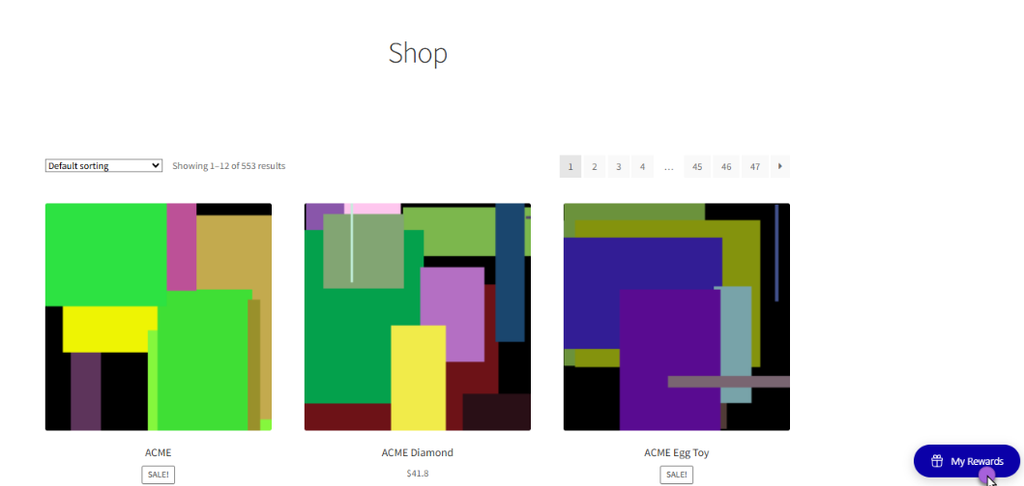
Store owners choose what should appear and in what order.
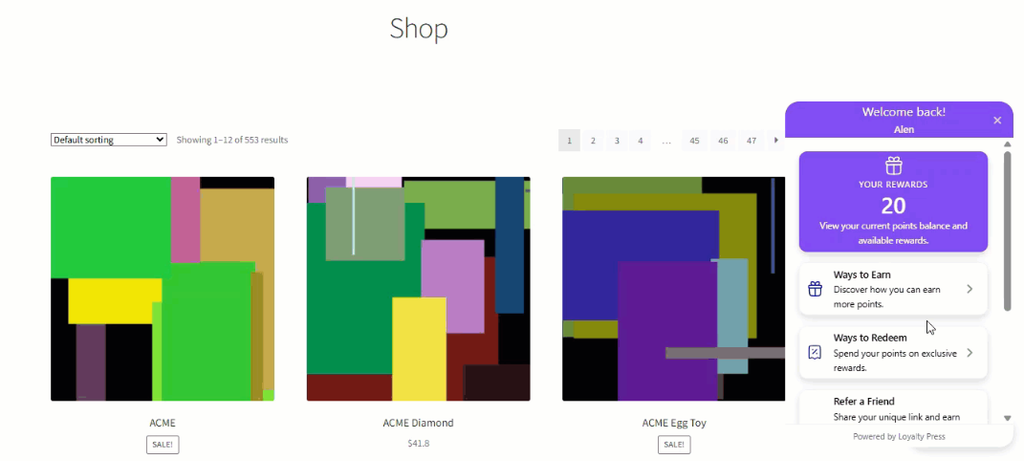
A store focused on referrals can lead with that section. A store pushing redemptions can put rewards front and center. Nothing about the widget is fixed.
Create Personalized Branded Loyalty Widgets in WooCommerce
The Floating Widget is fully customizable, down to the last pixel. You can set the button position, label, and icon, choosing from 11 icons including Gift, Star, Trophy, and Crown. Background and text colors can be set independently for the button, header, panel, cards, and points summary box.
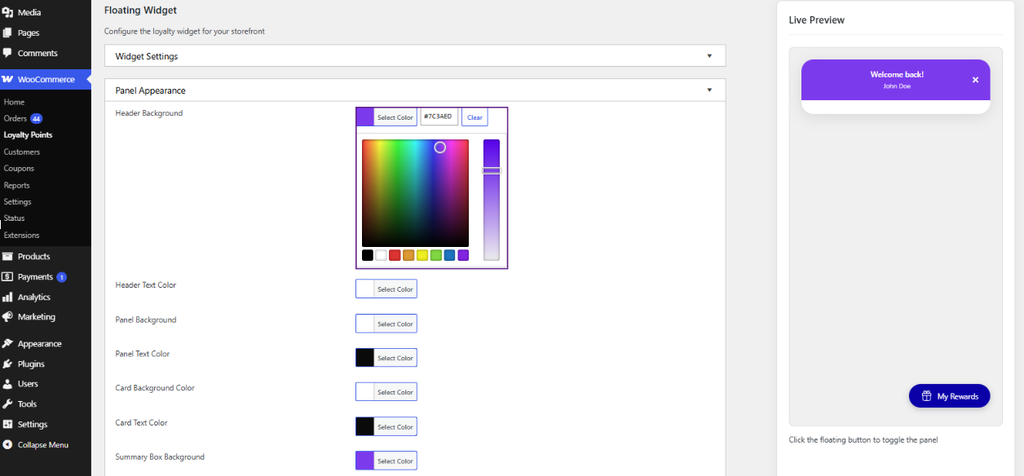
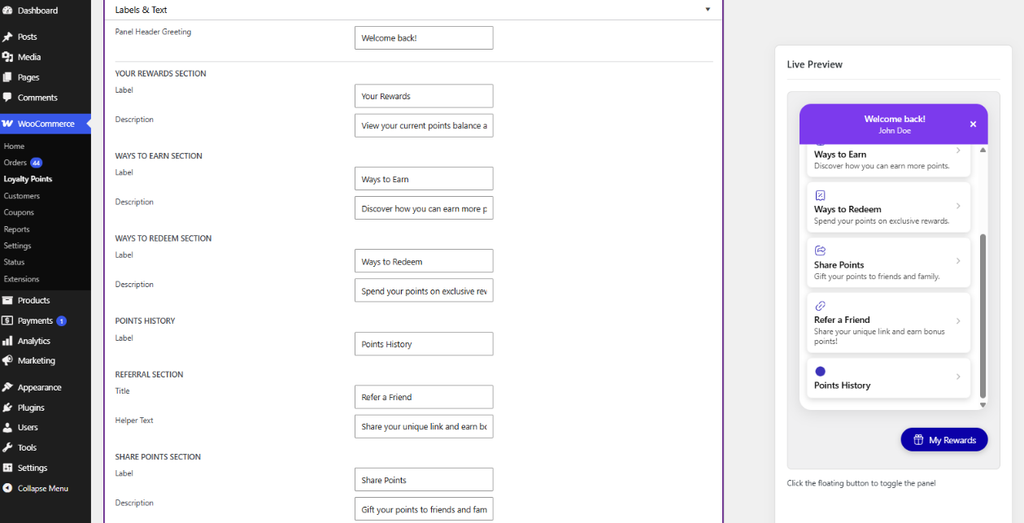
Layout options include card style (rounded or square), widget width, and typography size. A live preview reflects every change instantly, so admins can fine-tune the widget’s look before saving, without guessing how it will render on the live site.
Display the Widget Where It Matters Most
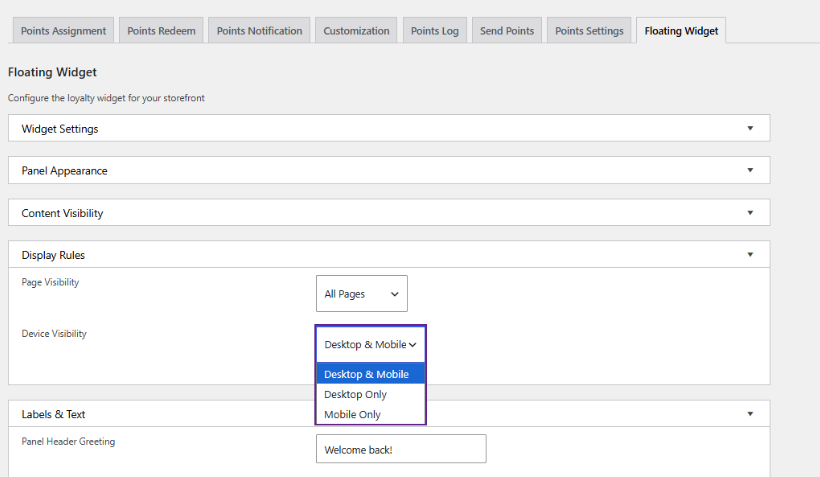
Not every store wants the widget on every page. v1.1 of the best WooCommerce loyalty plugin gives admins full control over where and to whom it appears. Page Visibility can be set to all pages, the shop page, product pages, cart, checkout, or specific selected pages.
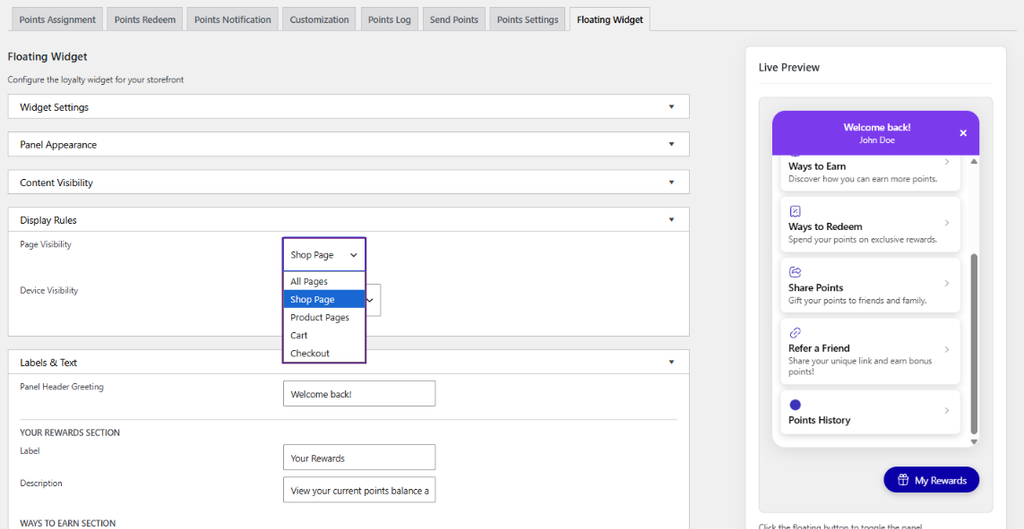
Device Visibility works the same way, with options for desktop-only, mobile-only, or both. Admins can also restrict the widget to logged-in customers, prompting guests to sign in before viewing loyalty details rather than seeing an empty panel.
Customize the Labels As Per Your Wish
Generic loyalty language rarely matches a brand’s voice. Loyalty Press v1.1 lets admins rewrite every label and description inside the widget, from the panel greeting down to the referral helper text. Section titles like Your Rewards and Ways to Earn can be renamed to fit the store’s tone. Helper text can guide customers toward specific actions, like sharing a referral link or checking their next reward tier.
Why Loyalty Widget Upgrade Matters for WooCommerce Stores
A loyalty program only drives repeat purchases if customers actually engage with it. Burying points balances on a hidden account page limits that engagement before it starts. The Floating Widget keeps loyalty visible on every page a customer visits, which means more reminders to earn, redeem, and come back.
Get Started With the Loyalty Press v1.1 by WPExperts
The Floating Widget ships inside Loyalty Press: Points & Rewards for WooCommerce v1.1 at no extra cost. Go to the Loyalty Press settings, enable the Floating Widget, and use the live preview to match it to your store’s design.
Update to v1.1 today and give every customer a faster way to see what their loyalty is worth.