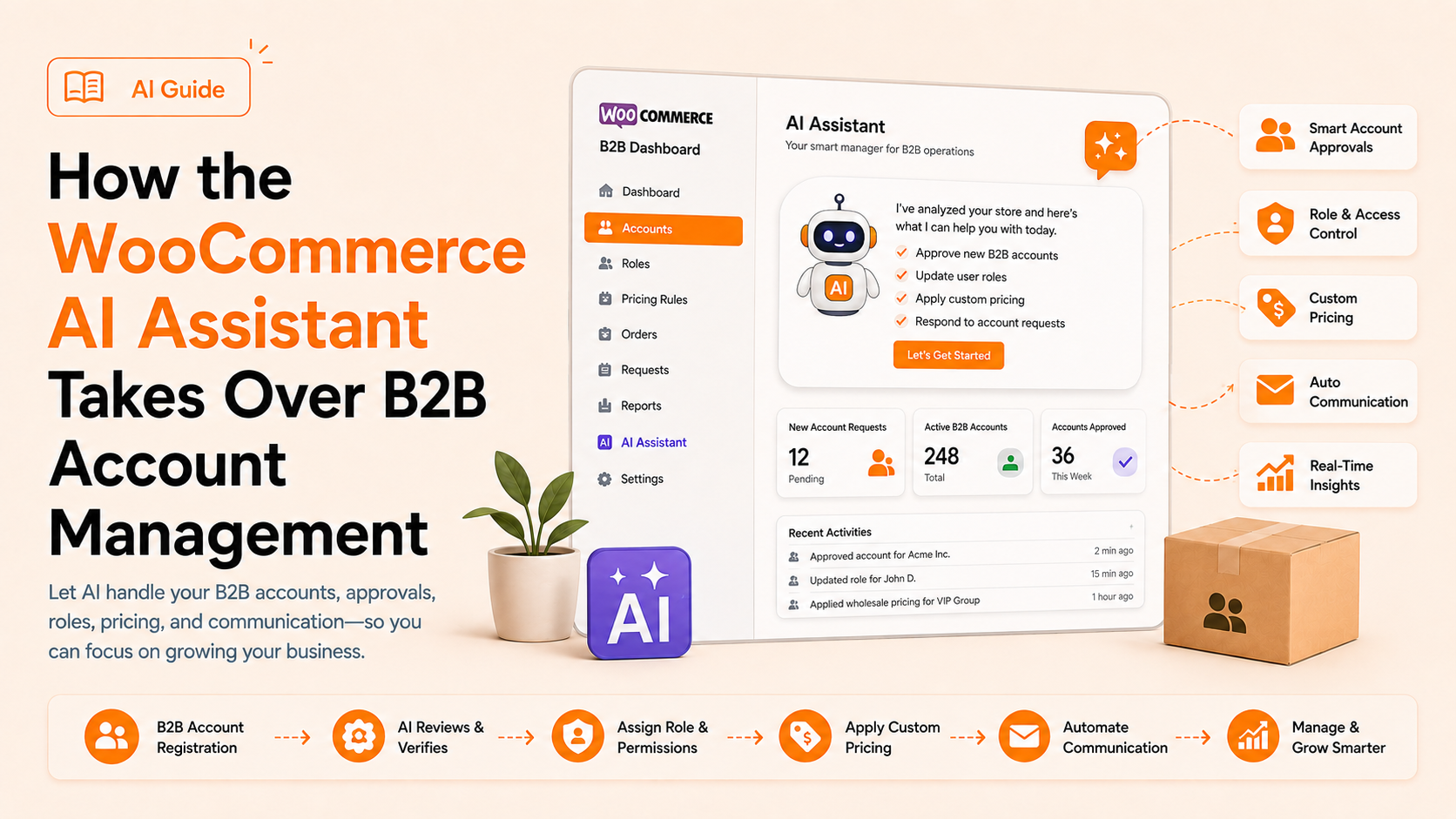
Every wholesale order starts with a question: who gets this price, and why? For B2B store owners, answering that question means digging through user roles, pending registrations, and buyer profiles. It happens one browser tab at a time. AI-powered B2B Wholesale for WooCommerce now answers it differently. Its built-in AI Assistant handles B2B account management through plain conversation, not another settings menu.
This article explains what the AI Assistant does for B2B account management. It covers how wholesale roles, registration, and user profile features work, and where admin oversight still matters.
What the AI Assistant Does
The AI Assistant is a built-in tool inside Wholesale For WooCommerce. It lets admins manage wholesale settings, user roles, and customer accounts using plain language. There’s no need to open menu after menu for one small change.
- Ask it to create a role, approve a registration, or check a pricing rule. Get an answer or action back directly.
- It connects to an external AI provider: OpenAI, Anthropic, or Google. A fourth option, WPExpert AI, appears on the setup screen but isn’t yet connectable. It’s marked “Coming Soon” for a future release.
- Choosing a provider automatically installs and activates that provider’s plugin.
- It only performs actions within the abilities an admin has enabled. You can review or reverse every automated change afterward.
Setting Up the AI Assistant
Getting started takes a few steps from the WordPress dashboard. This connects your chosen AI provider before any automation begins.
- Go to Wholesale > AI Assistant.
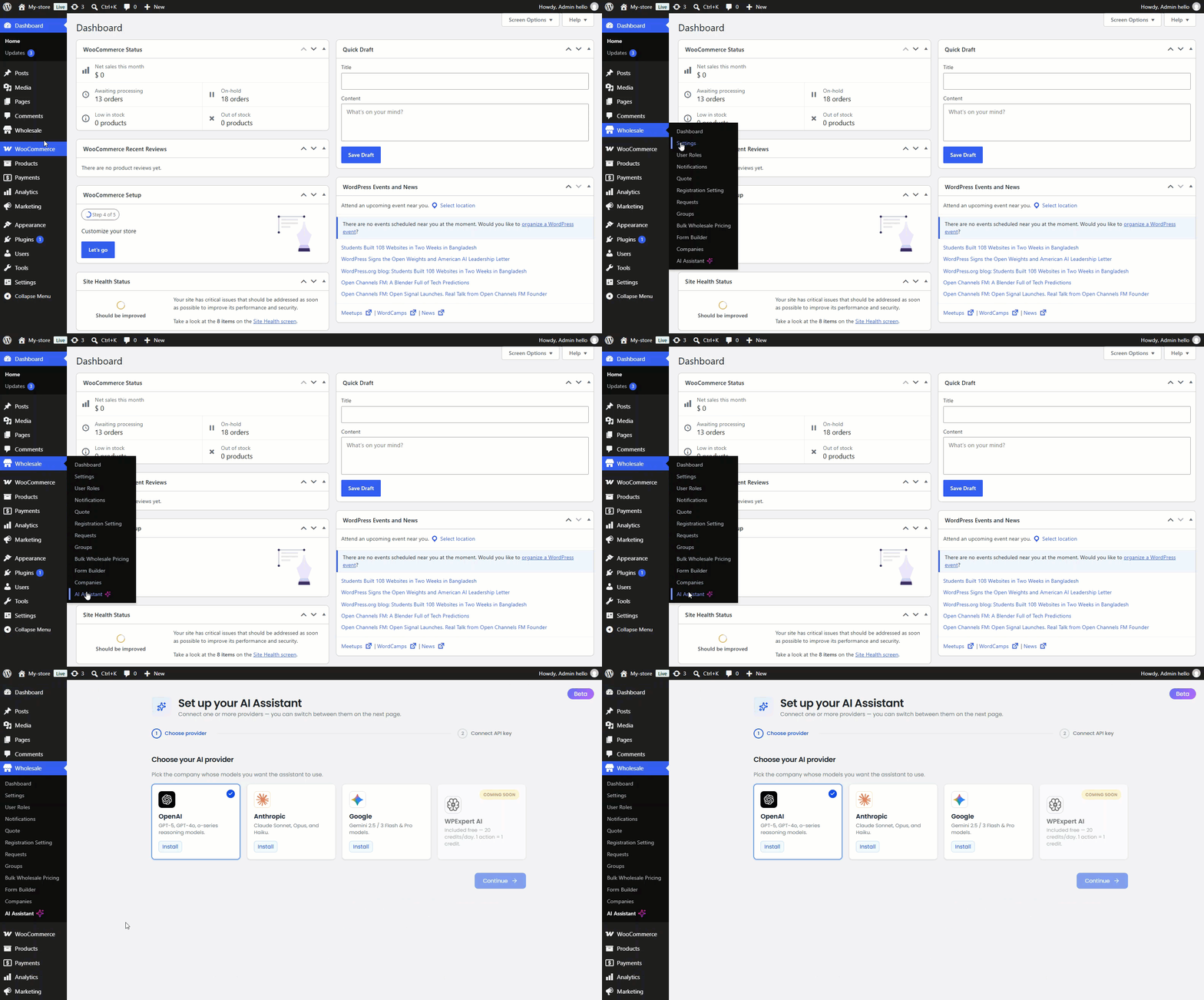
- Choose an AI provider and click Install. This automatically installs and activates that provider’s plugin.
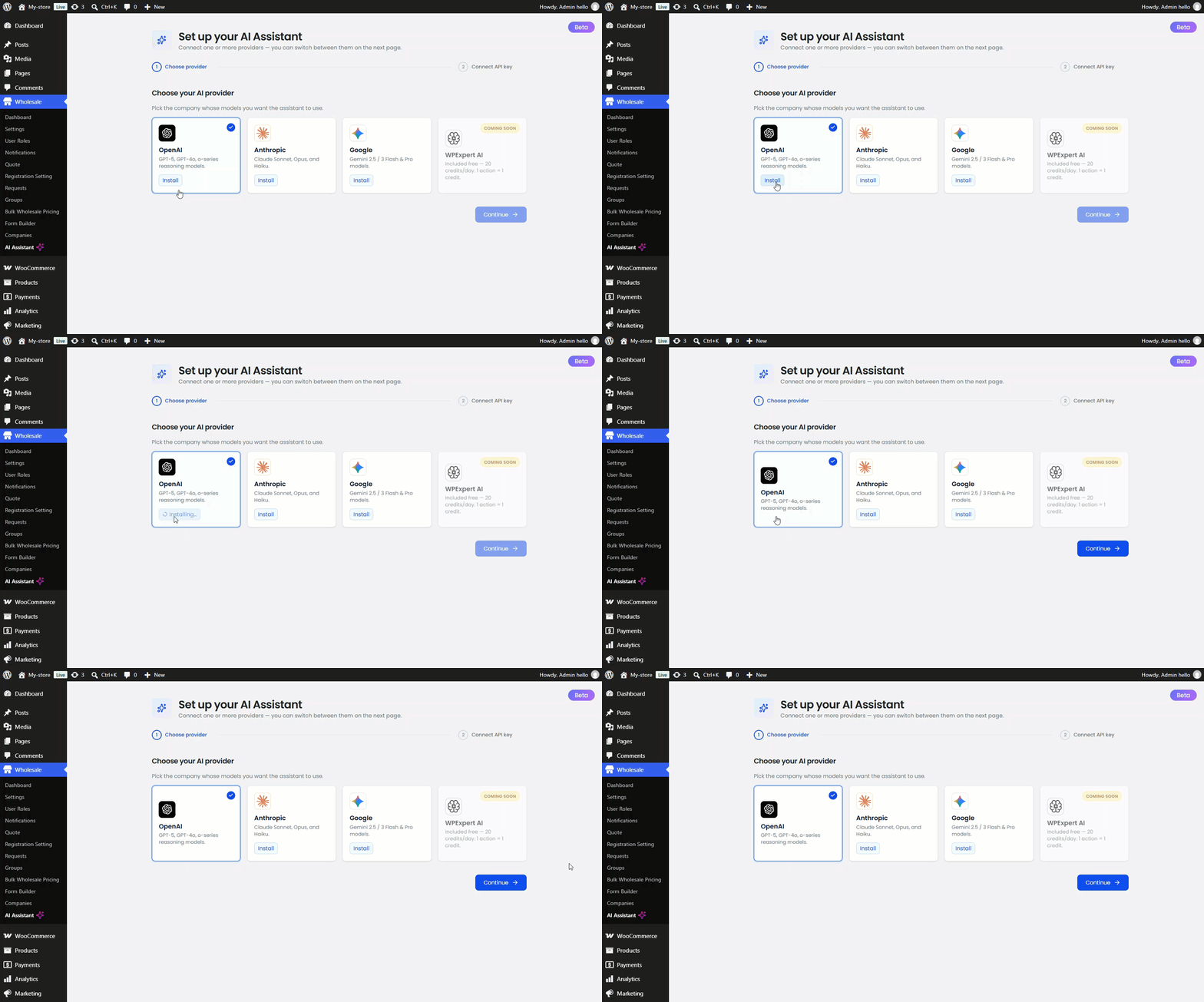
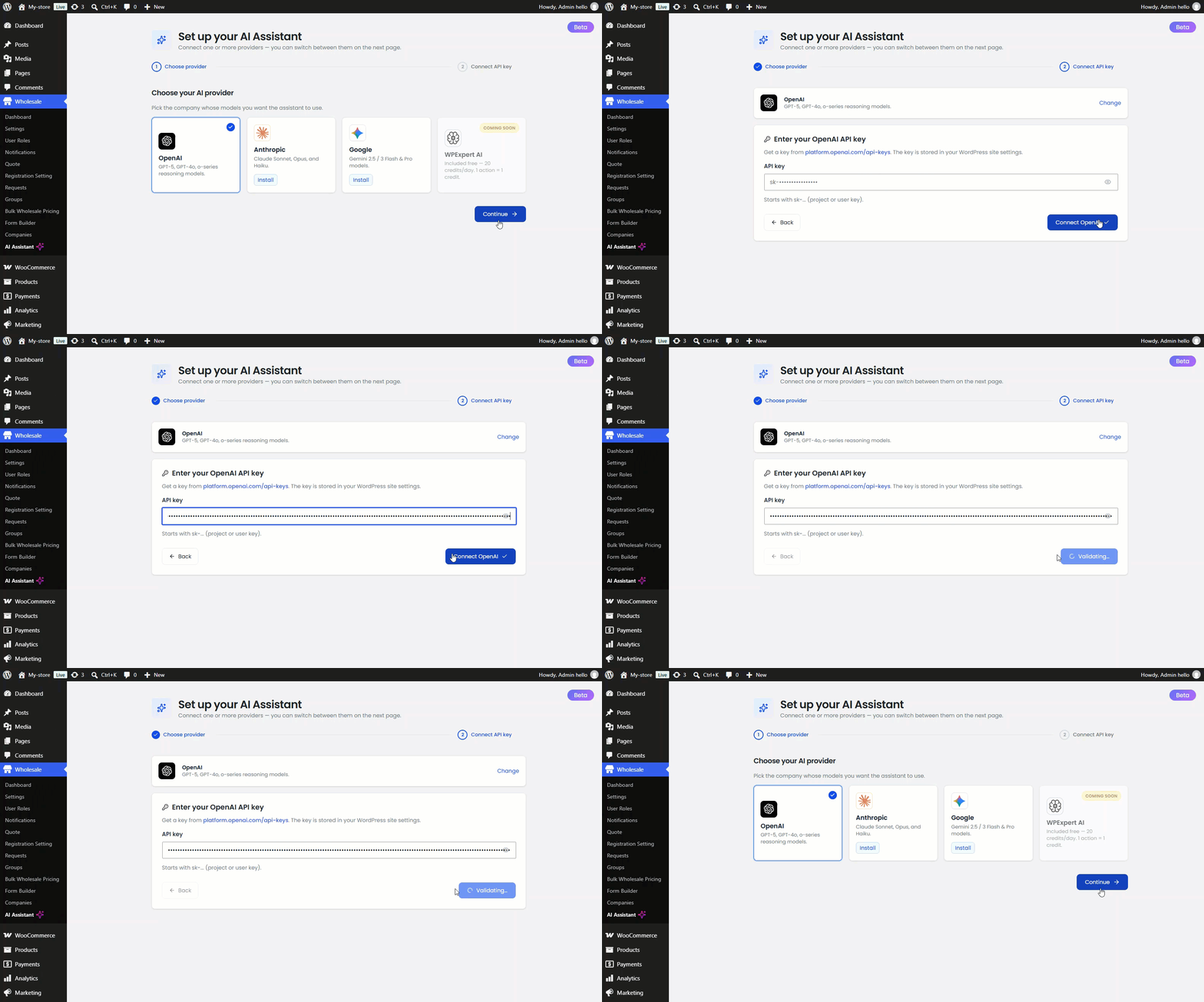
- Enter your provider’s API key and click Connect.
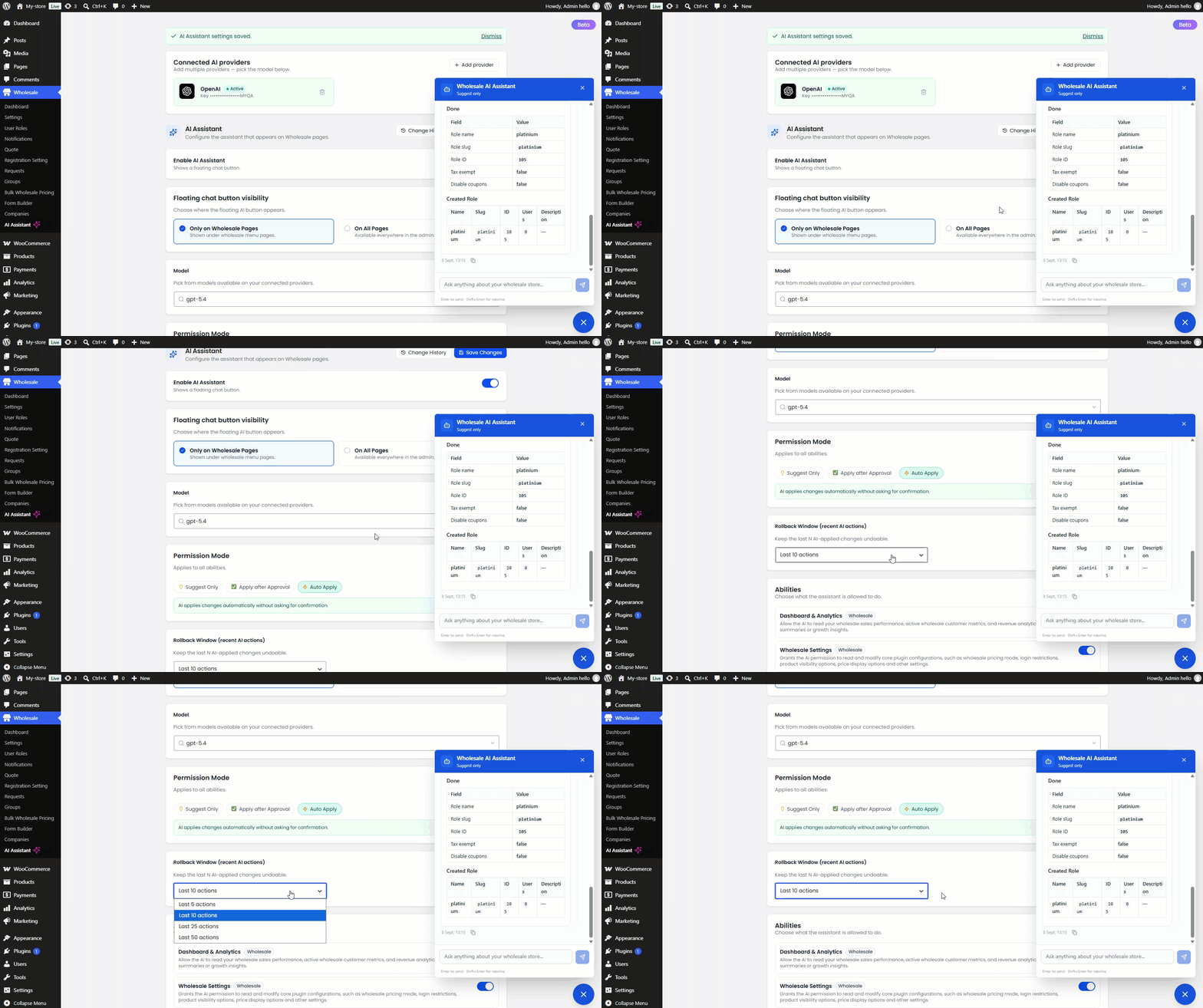
- Enable the assistant and choose where its chat button appears: only on Wholesale pages, or across the whole dashboard.
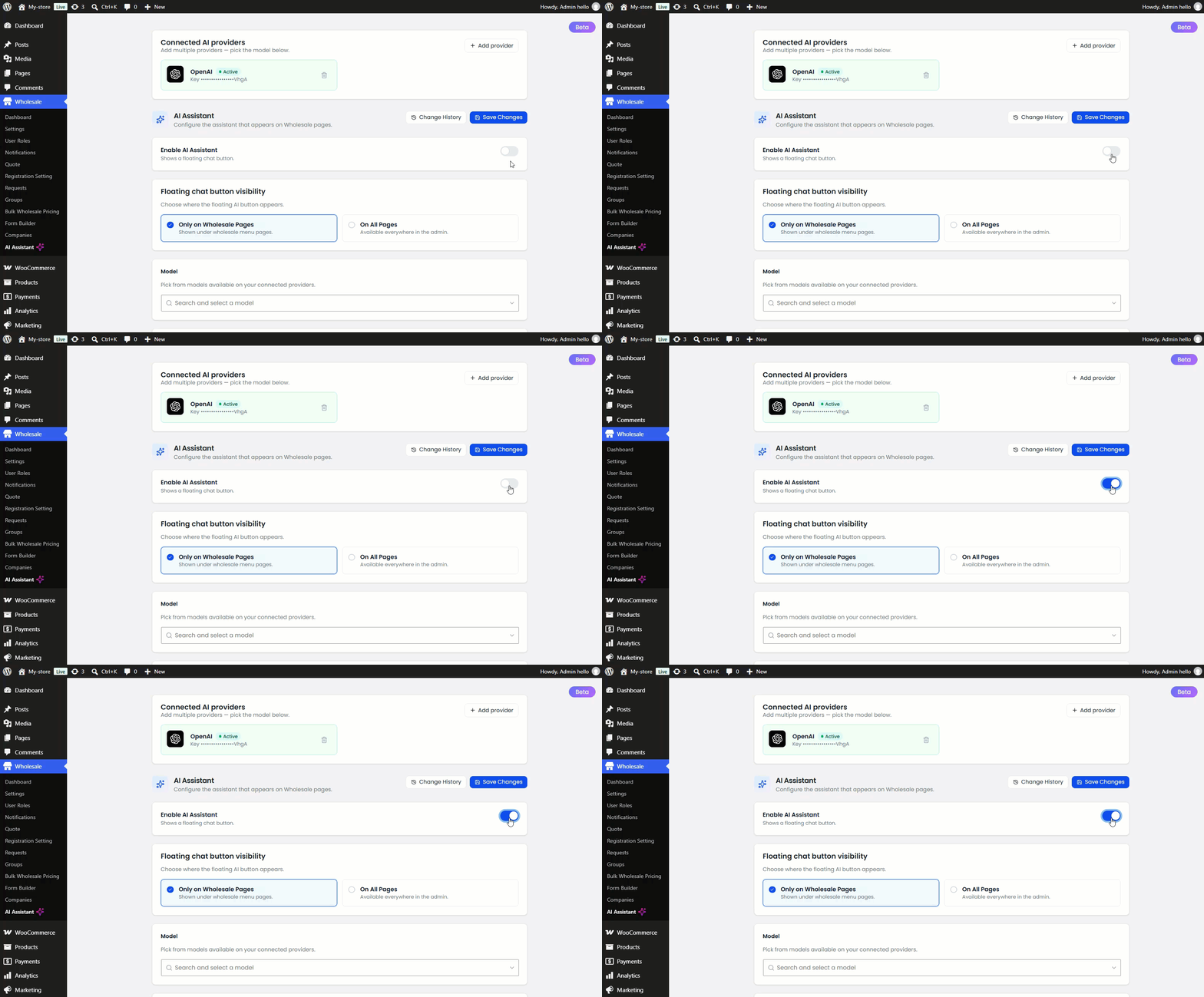
- Select the AI model from your connected provider’s available options.
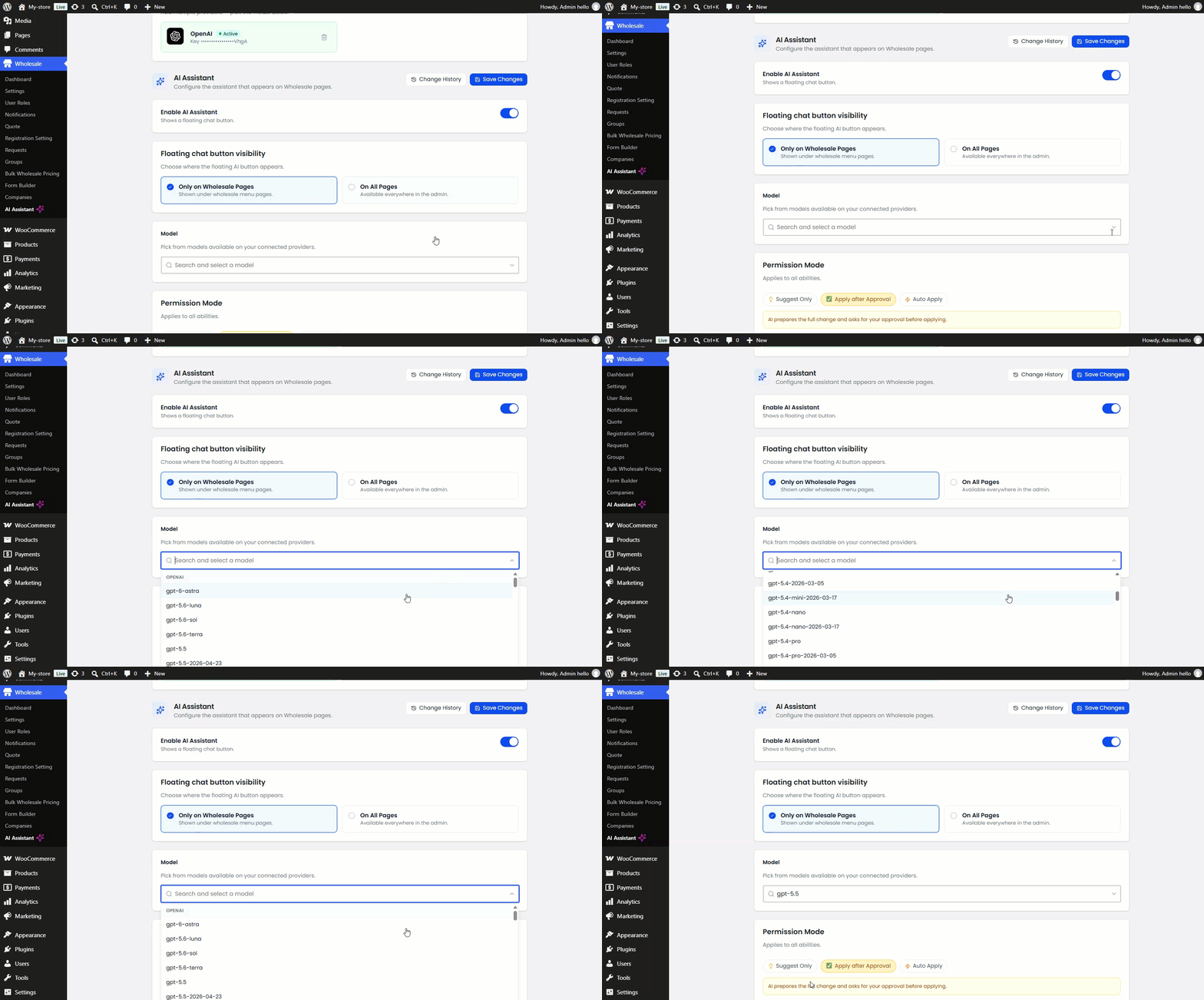
Once connected, a chat window opens for issuing wholesale account requests.
Controlling How Much Control You Hand Over
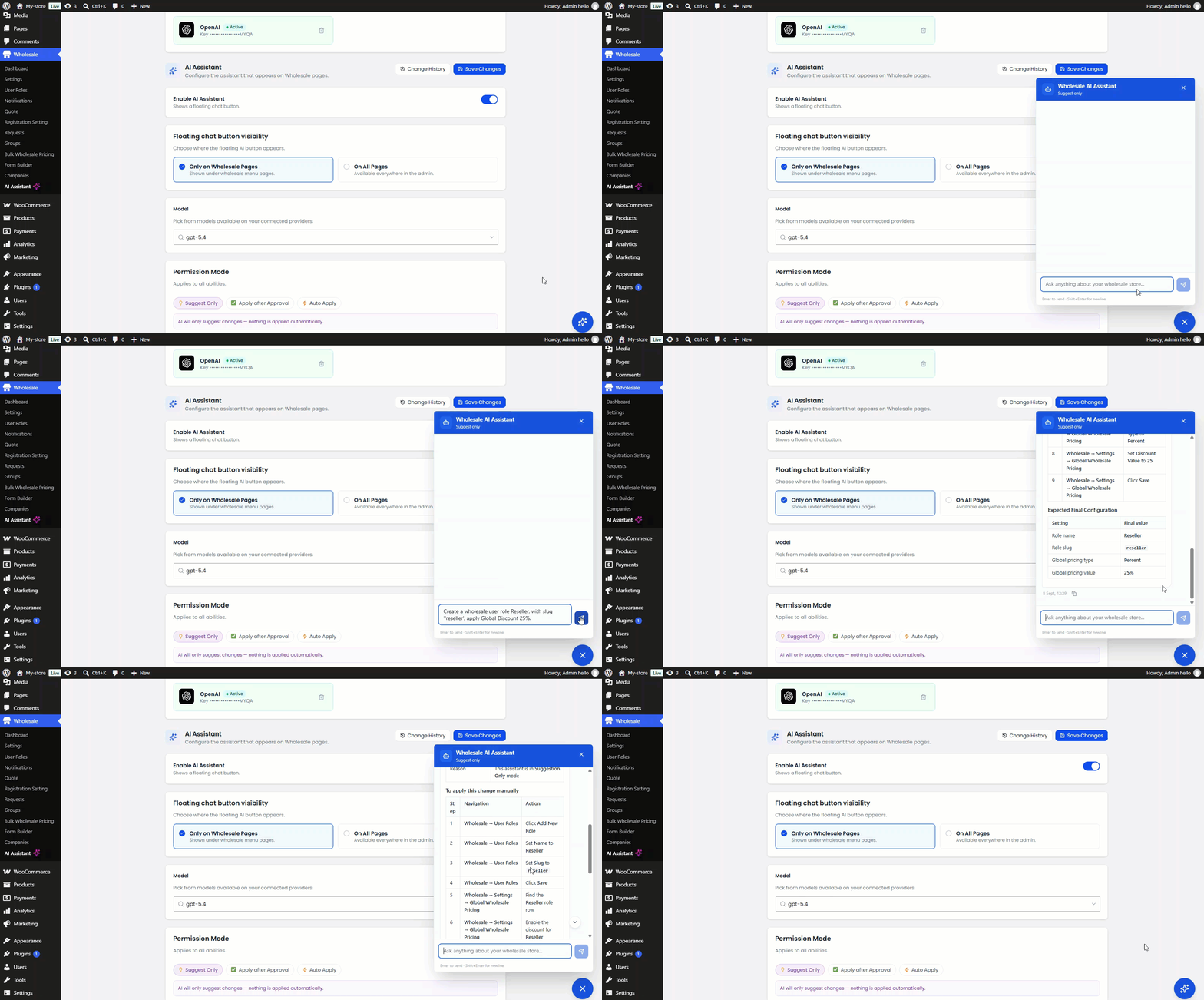
The AI Assistant can modify live store data, so permissions matter before it runs freely. Wholesale For WooCommerce, a WooCommerce B2B Plugin, offers three permission modes:
| Permission Mode | What Happens |
| Suggest Only | The AI recommends steps but never applies changes itself. |
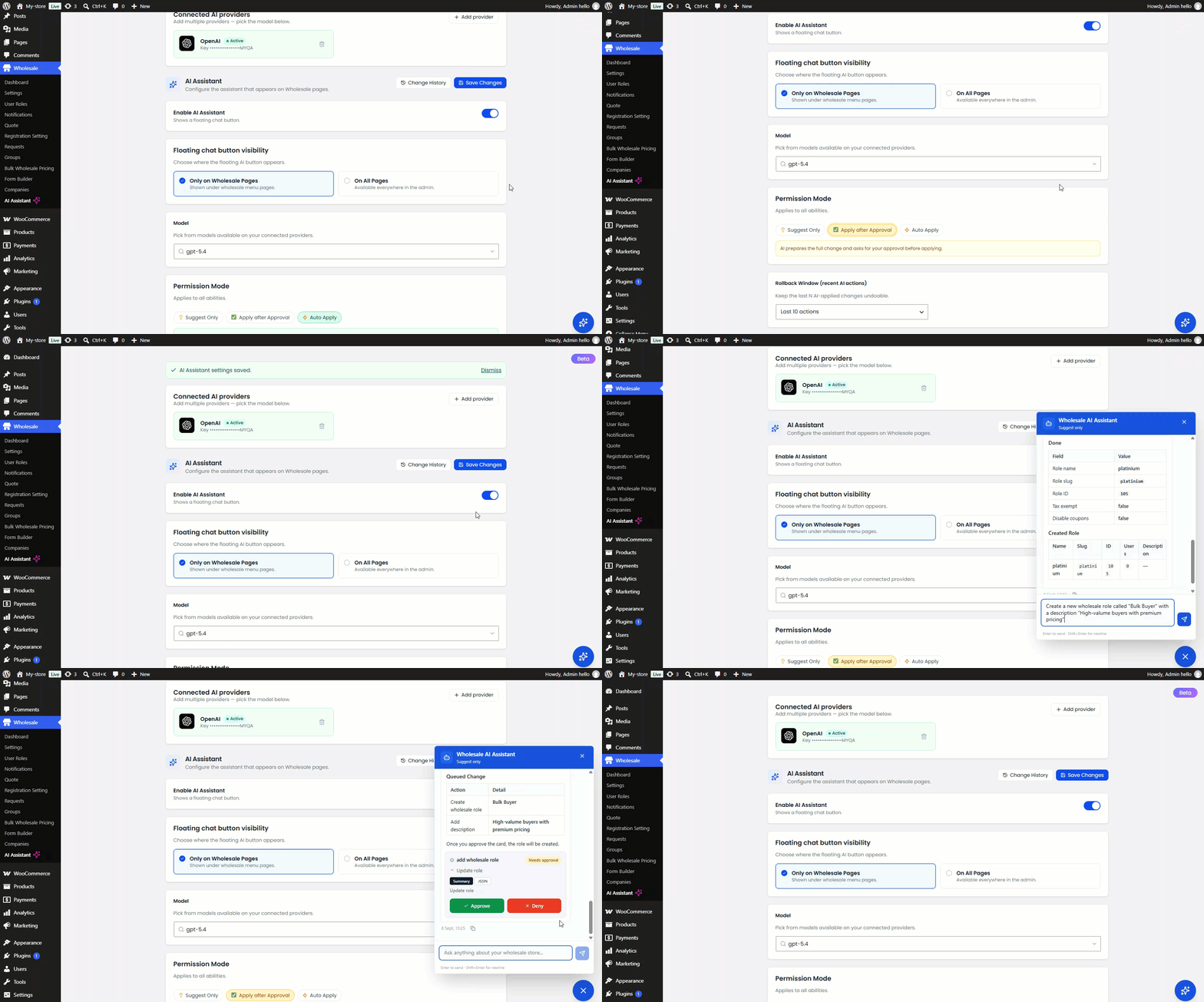
| Apply After Approval | The AI prepares changes and waits for admin confirmation. |
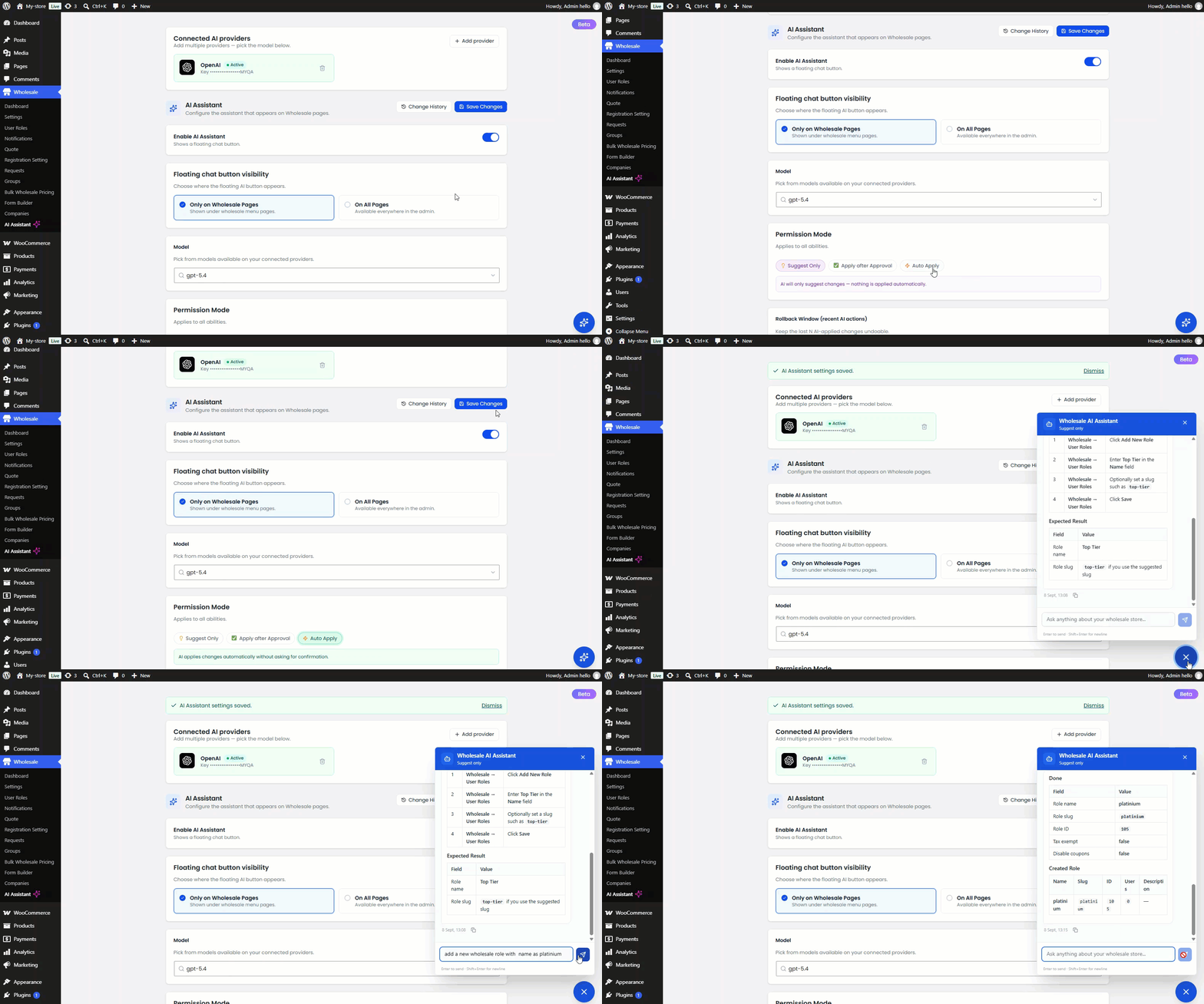
| Auto Apply | The AI executes permitted actions immediately, with no approval step. |
- Suggest Only suits admins who want guidance without risk.
- Apply After Approval offers a middle ground, since nothing goes live until you confirm it.
- Auto Apply suits admins who already trust the configured abilities and want speed.
Undoing Mistakes: The Rollback Window
Every automated action gets logged for review.
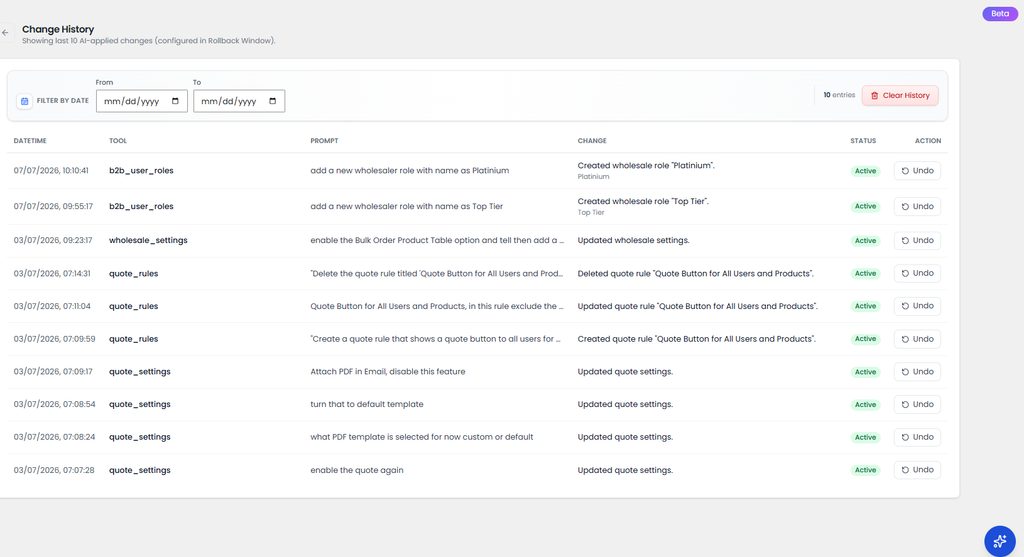
- Admins choose a rollback window, such as the last 10 actions.
- Opening Change History shows the date, tool used, prompt, and resulting change for each entry.
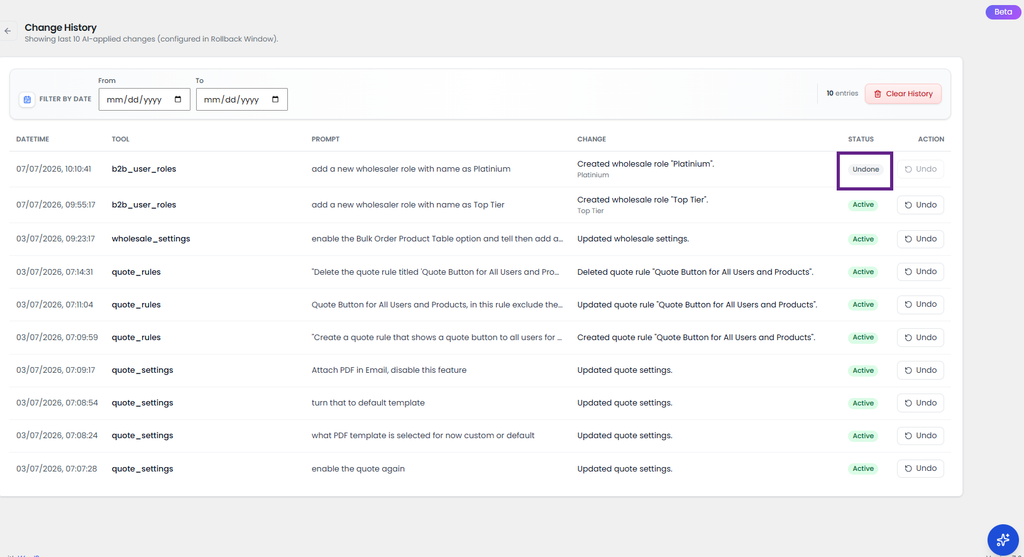
- Clicking Undo reverts a specific action, and its status updates to “Undone.”
- You can filter History by date range or clear it entirely.
This audit trail matters because role and pricing changes affect real customer orders. Tracing and reversing a single action maintains oversight, even with Auto Apply switched on.
Wholesale User Roles: The Foundation of B2B Account Management
Every B2B account in Wholesale for WooCommerce starts with a role. This feature sits at the center of account management.
- Single Wholesale Role offers every wholesale customer the same discount level.
- Multiple Wholesale Roles support different pricing and minimum quantities per buyer tier. For example, 20% off for one role and 30% off for another.
- Default Multi-Wholesale Role automatically places new registrants at a set level. The admin can change it later when approving requests.
- Creating a role means going to Wholesale > User Roles and entering a name, slug, and description. Special characters aren’t allowed in the role name field.
Each role also carries settings beyond pricing:
- Enable tax exemption per role, or assign a reduced tax class.
- Restrict specific payment gateways like PayPal or Cash on Delivery.
- Disable certain shipping methods for that role.
This lets a wholesaler role, a distributor role, and a VIP buyer role operate under different rules. Each can follow its own financial and fulfillment terms on the same store.
Wholesale Account Requests: Registration and Approval
Wholesale Account Requests cover how a retail visitor becomes an approved B2B buyer.
- You can add a dedicated registration form to any page with the [wwp_registration_form] shortcode.
- It includes default billing and shipping fields, plus custom fields like Tax ID, file uploads, and text areas.
- Retail users can request an upgrade to wholesaler status from the Upgrade Tab on their My Account page. They can resubmit if their request is rejected the first time.
Every submission lands in Wholesale > Requests, where the admin can:
- Approve or reject the request.
- Add a rejection note explaining why.
- Assign a specific wholesale role, if multiple pricing is enabled.
- Turn on auto-approval so requests don’t need manual review.
Email notifications keep both sides informed. The admin gets alerted on each new request. The customer is notified when their request is approved or rejected. Subject lines and message content are fully customizable from Wholesale > Notifications.
Managing B2B User Profiles
Once a buyer is approved, their profile becomes the record admins return to for role changes and account status.
- From Users > All Users, an admin can open any customer’s profile. They can update information or change the assigned wholesale role.
- New B2B users can be created the same way a regular WordPress user is added.
Wholesale for WooCommerce also lets admins organize approved buyers into Groups, from Wholesale > Groups. Examples include “Wholesalers,” “Distributors,” or “Retailers”:
- A group applies its own discount type, minimum and maximum quantity rules, and wholesale value to every user inside it.
- Specific payment or shipping methods can be disabled for a group.
- Admins can post group-specific Announcements on the group’s My Account page. This shares pricing changes without emailing each buyer individually.
How the AI Assistant Supports All Three
The AI Assistant’s abilities map directly onto these features:
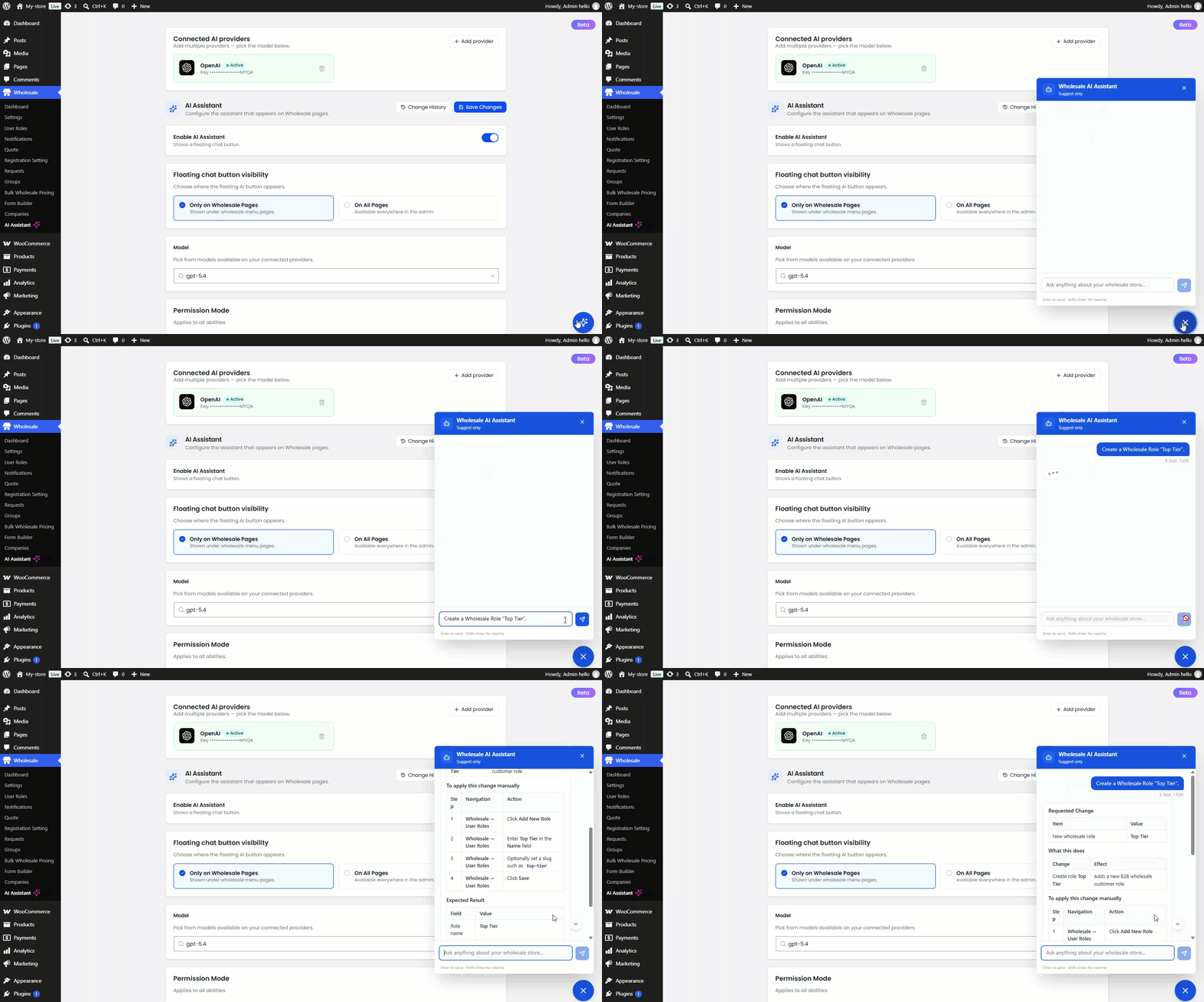
- Manage B2B User Roles: create, edit, or delete wholesale roles and their permissions.
- Wholesale Account Requests: view, approve, or reject pending registrations.
- Manage B2B User Profiles: view profiles, update user information, change roles, and create or delete B2B users.
It can also manage global and cart discounts, registration settings, email notifications, and wholesale analytics. Together, this covers the full account management loop from registration to ongoing pricing.
What This Looks Like in Practice
A few examples from the plugin’s documentation show these tasks in action. Each replaces a manual lookup of settings with a single request.
- Asking “What discount is currently set for the ‘Wholesale Customer’ role?” returns the answer instantly.
- A prompt like “Create a new wholesale role called ‘Bulk Buyer’ with a description: High-volume buyers with premium pricing” creates the role directly. It appears in the User Roles list right away.
- Requesting a 30-day performance analysis automatically pulls insights from wholesale analytics.
- Updating an email subject line for a registration notification takes one instruction. No need to open Notifications settings manually.
Where Admin Oversight Still Matters
Automation doesn’t remove the need for judgment on a wholesale store.
- Only enable abilities you actually want the AI acting on.
- Use Apply After Approval while you’re still learning how the assistant behaves for your store.
- Move to Auto Apply only once you’re confident in its output.
- Check Change History regularly, especially after enabling a new ability for the first time.
The AI Assistant works within Wholesale For WooCommerce’s own data: roles, registration requests, profiles, groups, pricing, and WooCommerce products and categories. It does not replace judgment calls about individual customer relationships.
Final Thoughts
Wholesale User Roles, Wholesale Account Requests, and B2B User Profiles form the backbone of account management on any WooCommerce B2B store. The AI Assistant doesn’t replace these features. It gives admins a faster, conversational way to configure and maintain them, backed by adjustable permission modes and a full rollback history.
For stores handling a growing number of wholesale accounts, this shifts admin time away from repetitive configuration. That time moves toward the parts of B2B operations that genuinely need a human decision. Explore more WooCommerce plugins built for growing B2B stores.