Running a WooCommerce B2B store means your buyers order in bulk, not single units. But the platform doesn’t handle this out of the box. You need a dedicated WooCommerce B2B plugin paired with AI assistance to make setting up wholesale pricing effortless.
This guide shows you how to set cart-based discounts for B2B customers using Wholesale for WooCommerce Pro by WPExperts.io. We’ll learn it today with easy prompts, not manual settings. By the end, you’ll know exactly how quantity and amount-based discounts work, how to trigger them through AI prompts, and how to keep every automated change under control.
What Is a Cart Discount for B2B Customers?
A cart discount rewards customers based on their entire cart, not one product. It can trigger in two ways:
- Quantity-based: Discount unlocks once the total number of items in the cart hits a set number. I.e., get 10% off 25 items in the cart!
- Amount-based: Discount unlocks once the cart subtotal crosses a set value. I.e., get 12% off when purchasing over $1200!
This encourages bulk buying, which is exactly what B2B and wholesale relationships are built on. If you’re still setting up your store’s core pricing structure, our WooCommerce B2B pricing guide covers the foundational setup before you layer cart discounts on top.
Quantity-Based vs. Amount-Based Discounts: Which Should You Use?
Choosing the right trigger depends on what you sell and how your buyers shop. Neither option is universally better; it depends on your product mix.
- Quantity-based discounts work well for stores selling uniform items, like packaging, apparel, or accessories, where unit count is the clearest signal of a bulk order.
- Amount-based discounts work better for stores with mixed pricing, since a buyer might order five expensive items or fifty cheap ones and still deserve a discount.
- Both at once is common too; many wholesale stores apply quantity tiers to one category and amount tiers to another. The AI Assistant makes switching between the two as simple as changing a word in your prompt.
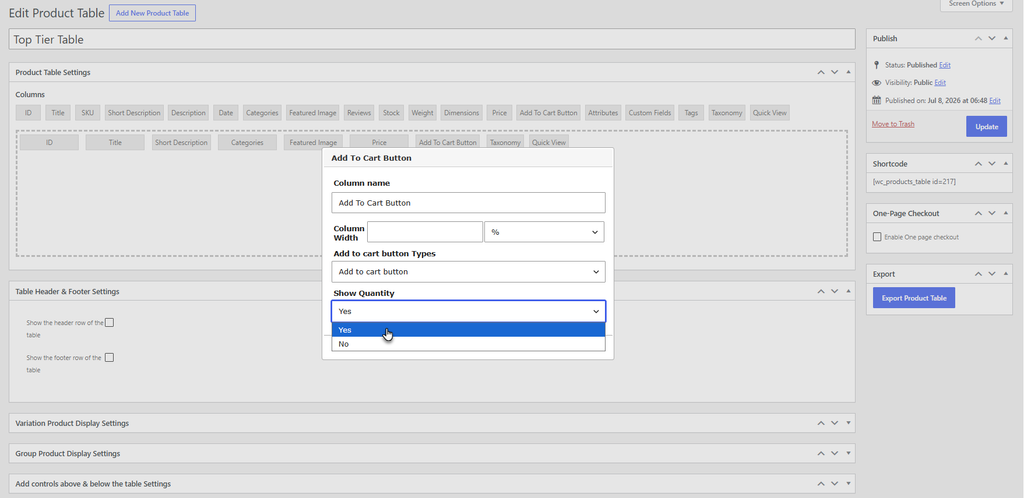
Why Your B2B WooCommerce Store Needs Cart-Level Discounts
Retail stores discount single products. B2B buyers think differently; they compare order size. A tiered cart discount pushes them to add more items or spend more to unlock better pricing automatically.
This matters because wholesale buyers usually place larger, less frequent orders. Cart-level discounts give them a clear, visible reason to add one more case or one more box before checking out. Adding wholesale to your WooCommerce B2B store gives you an edge over your competitor in B2B features.
This also removes manual pricing negotiations. Once tiers exist, every wholesale customer sees consistent, rule-based pricing. That structure brings a few clear advantages:
- Consistency: Every buyer in a role sees the same tier logic, no back-and-forth emails
- Higher average order value: Buyers are nudged toward the next discount threshold
- Less admin overhead: No custom quotes needed for standard bulk orders
- Better forecasting: Predictable discount tiers make revenue easier to project
That combination saves your team time and keeps pricing fair across all B2B accounts, without sacrificing margin on smaller orders.
How to Set Up AI Assistance in WooCommerce
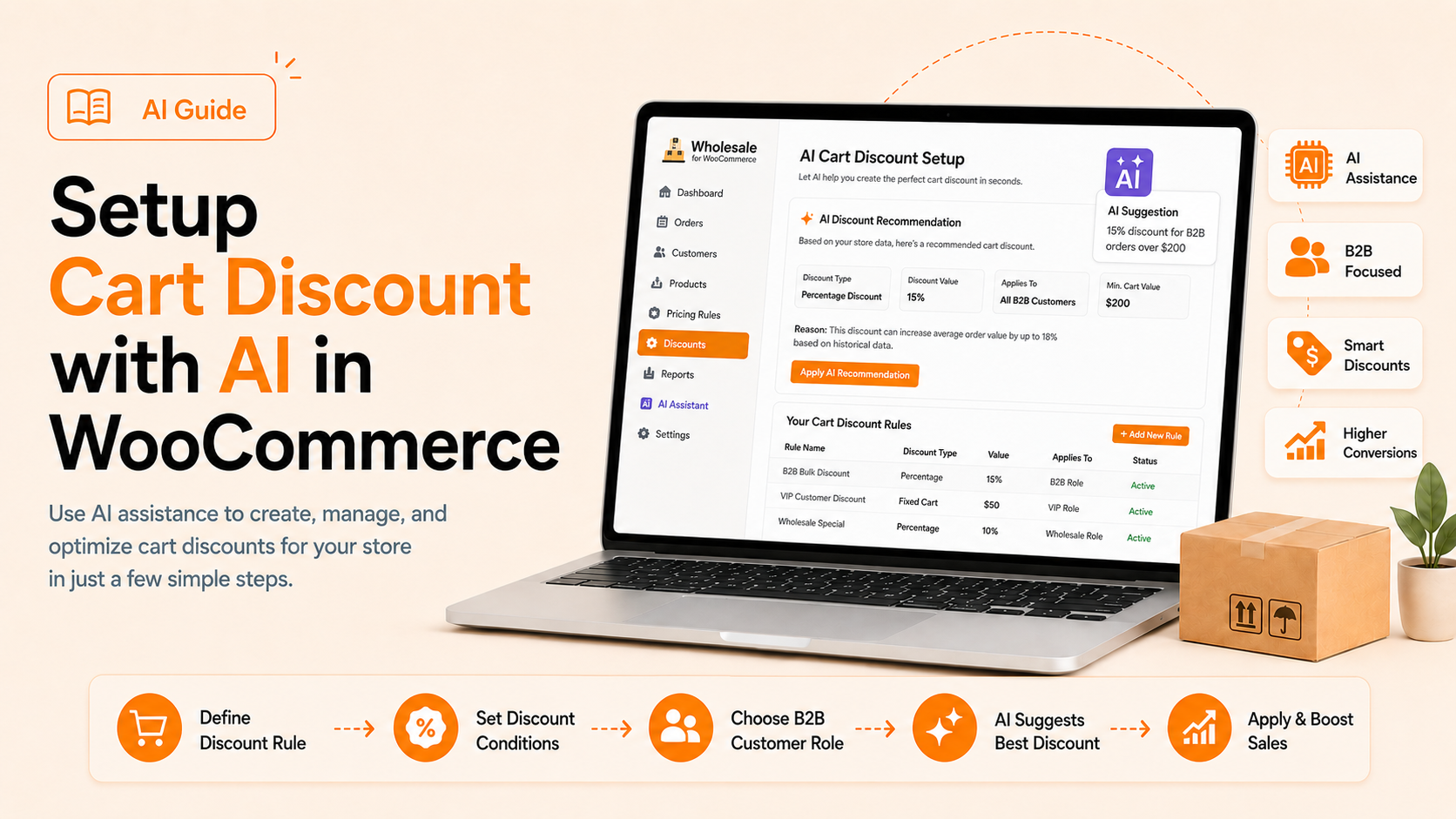
The Wholesale for WooCommerce plugin includes a built-in AI Assistant. Instead of digging through menus, it lets admins configure cart discounts, pricing rules, roles, and more through simple chat prompts.
Before creating discount rules, connect the AI assistant in WordPress and enable the right permissions, including Manage Wholesale Cart Discounts. Now, you’re ready to start prompting the assistant to build your discount tiers.
How to Create Cart Discounts with AI in WooCommerce
After enabling the Manage Wholesale Cart Discounts ability, open the AI chat and write the discount you want to offer. The assistant reads your intent and builds the correct tier structure automatically. And you can enable other abilities to bulk update product pricing with AI in WooCommerce without opening separate product pages.
Prompt to Set Quantity-Based Cart Discount in WooCommerce
Type something like: “Set a 10% cart discount for Wholesale Customers when quantity reaches 10 items.” The AI configures this rule under the correct wholesale role instantly, without opening any settings screen.
Example to Instantly Set Amount-Based Cart Discounts in WooCommerce
You can also base discounts on cart value instead of item count. Try: “Apply a $20 fixed discount when the cart subtotal is between $200 and $500 for Bulk Buyers.”
Refining Rules With Follow-Up Prompts
You’re not limited to one message. Ask the assistant to add another tier, adjust a percentage, change the label, or apply the same rule to a different wholesale role.
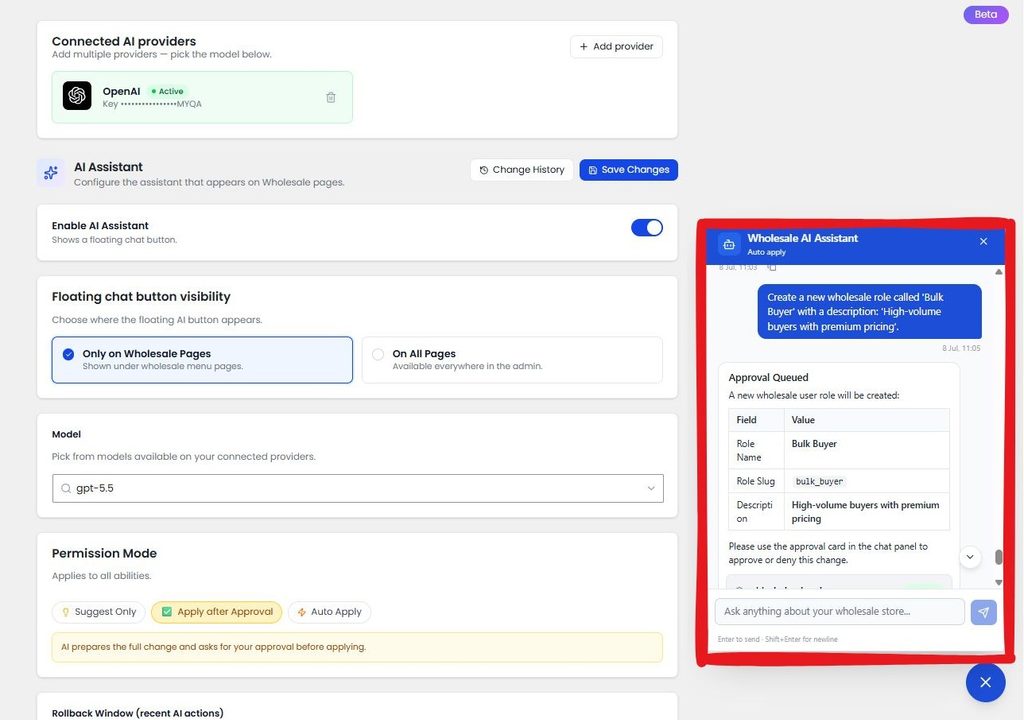
How to Apply the Same Cart Discount to Multiple User Roles at Once in WooCommerce?
Many B2B stores run several wholesale tiers, like Standard, Premium, and Bulk Buyer. Instead of repeating the setup for each one, describe all the roles in a single prompt.
For example: “Apply a 12% cart discount for Standard, Premium, and Bulk Buyer roles when quantity reaches 15 items.” The assistant creates identical rules across all three roles in one pass, saving several minutes of repetitive clicking.
You can still adjust individual roles afterward if one group needs a different threshold or percentage.
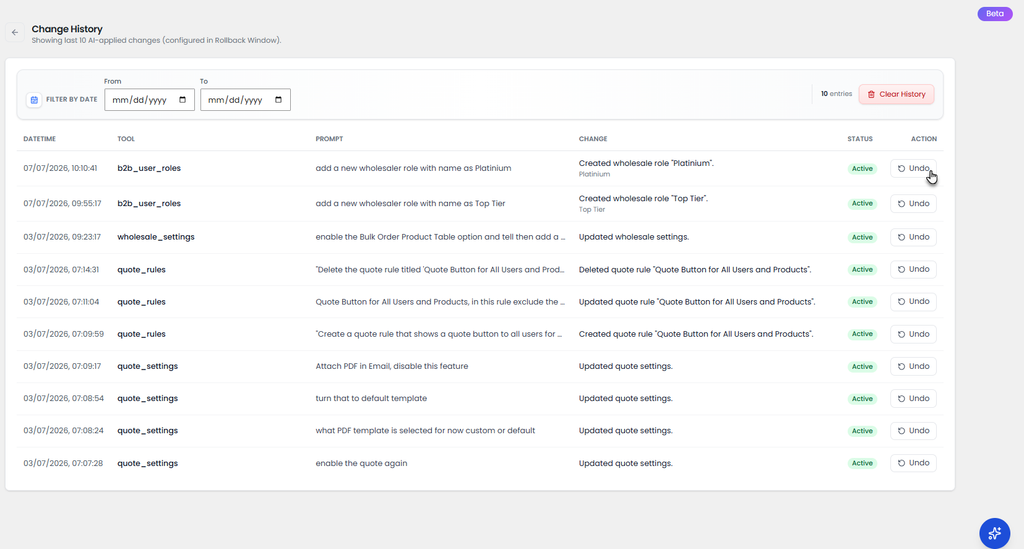
Can I Review and Roll Back What AI Changed in my WooCommerce Store?
Every AI action gets logged in Change History, based on your configured rollback window. From there, you can:
- Click Review to see exactly what changed
- Undo a single action without affecting others
- Filter history by date to review a specific period
- Use Clear History to permanently remove old records
Real-World Cart Discount Example
Say you sell packaging supplies to wholesale buyers. You want two tiers active at once:
- 8% off for carts with 20 to 49 units
- 15% off for carts with 50 units or more
Just prompt the first AI-Powered B2B Wholesale for WooCommerce with both conditions in a single message.
The assistant creates both tiers under the correct wholesale role automatically. It saves setup time and avoids the conflicting or duplicate tier ranges that come from manual entry mistakes.
Benefits of Setting Up Cart Discounts with AI
AI assistance turns a technical settings task into a quick conversation. It’s especially useful for store owners managing multiple wholesale roles with different pricing structures.
- Faster setup across multiple B2B pricing tiers
- Fewer configuration errors from manual entry
- Easy rollback if a rule needs adjustment
- No need to memorize plugin settings paths
Final Thoughts
Cart-level discounts are one of the simplest ways to reward bulk B2B buyers and boost average order value. Using the AI Assistant in Wholesale for WooCommerce means you can build, adjust, and refine these rules through conversation alone.
Start with one quantity-based prompt, test it live as a wholesaler, then expand your tier structure with follow-up AI requests as your B2B strategy grows.